

In Python, to convert a string to a list of characters, use the list(string) method.
The easiest way to convert a string into a list of words (tokens) is by using string.split() method.
For basic filtering or transforming of strings into lists, apply list comprehension; use re.split() for advanced cases.
It depends on what your main objective is. It is helpful in parsing text, processing user input, and other NLP tasks.
Using list() constructor

The list() constructor splits a string into a list of individual characters. If the input string contains spaces and special characters, it becomes an element of a list too!
show = "Friends"

char_list = list(show)

print(char_list)

# Output: ['F', 'r', 'i', 'e', 'n', 'd', 's']
The above output shows that each character becomes a separate list element.
Empty string

No content in the string. Then, expect an empty list in the output.
empty_txt = ""

empty_list = list(empty_txt)

print(empty_list)

# Output: []
String with spaces and unicode characters

When the input string contains unicode characters, spaces, and emojis correctly, it will treat each as a single character and return a list without any error.
uni_txt = "héllo 😊"

uni_list = list(uni_txt)

print(uni_list)

# Output: ['h', 'é', 'l', 'l', 'o', ' ', '😊']
Using str.split()

Whether you want to split a string from a specific delimiter or transform it into a list of tokens(words), the str.split() method is your go-to place. It breaks a string into words.
netflix = "Eleven Tokyo Berlin Jonas"

character_list = netflix.split()  # Default delimiter: whitespace

print(character_list)

# Output: ['Eleven', 'Tokyo', 'Berlin', 'Jonas']
It splits a string using whitespace as a delimiter, which is the default setting. You can specify your own delimiter.
Custom delimiter

Let’s say we have a string that contains a comma. We need to break a string at each comma.
netflix = "Eleven,Tokyo,Berlin,Jonas"

character_list = netflix.split(",")

print(character_list)

# Output: ['Eleven', 'Tokyo', 'Berlin', 'Jonas']
By passing “,” to the split() function, it splits a string at that point and returns a list containing all the splitted elements.
Multiple consecutive delimiters
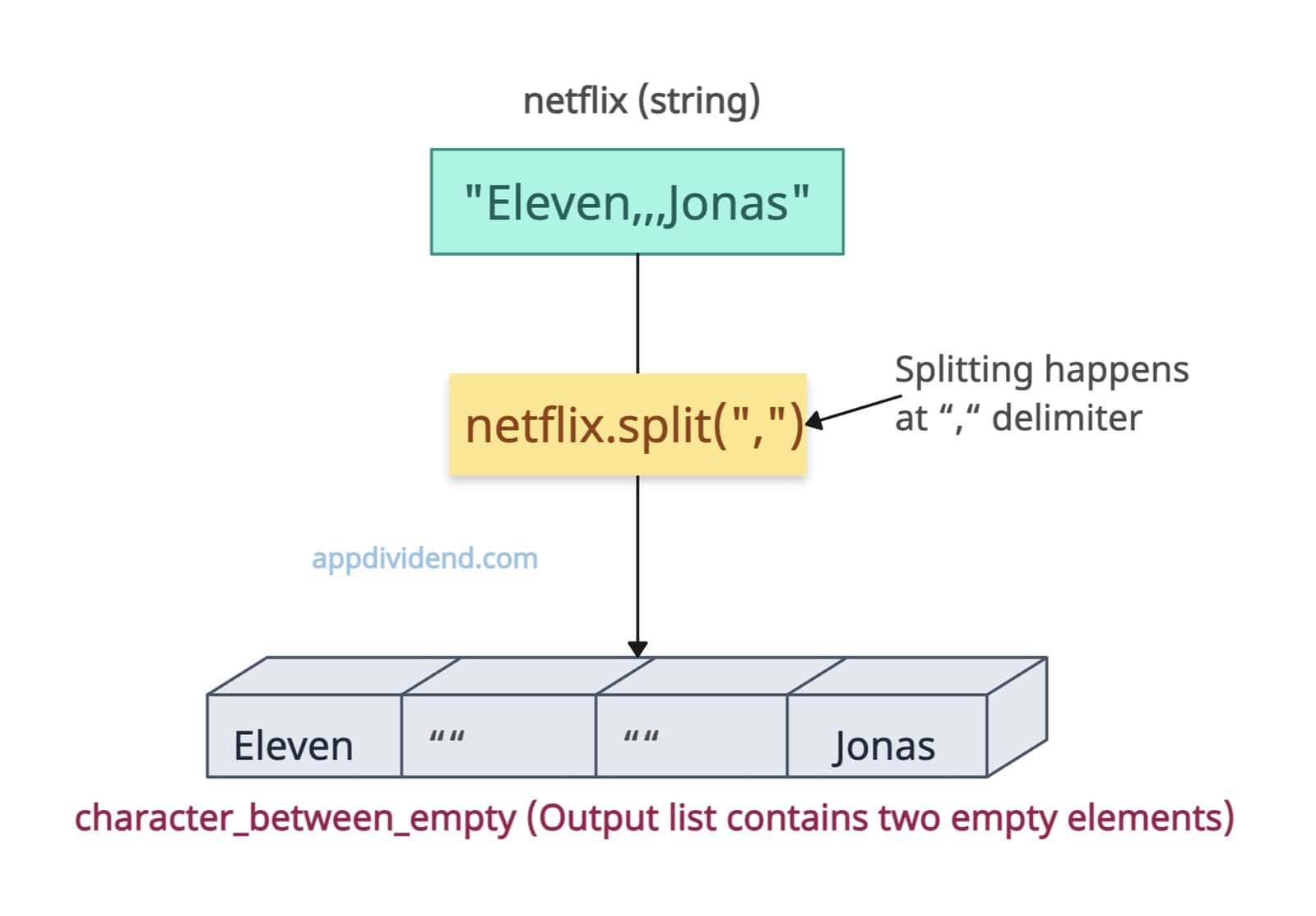
If delimiters appear back-to-back with nothing in between, empty elements will be included for each.
For example, if your string is “Eleven,,,Jonas”, that means two empty elements will be included in the output list.
netflix = "Eleven,,,Jonas"

character_between_empty = netflix.split(",")

print(character_between_empty)

# Output: ['Eleven', '', '', 'Jonas']
As expected, we got the list with four elements, of which two are empty.
If the delimiter is at the leading position and after that an element appears, the first element in the output list will be empty.
If the delimiter appears at the end of the string, the last element in the output will be empty.
Using list comprehension

When you come across a string that contains alphanumeric characters, and you just want a list that contains alphabet characters individually, you should use a list comprehension.
It provides splitting based on the condition while transforming into a list.
str = "kbl1921"

letters = [char for char in str if char.isalpha()]

print(letters)

# Output: ['k', 'b', 'l']
The output list only contains characters and filters out numeric values.
Using Regular Expressions (re.split())

For complex string splitting, we can use the regular expression (re) module’s split() method because it provides a way to look for a pattern.
For example, suppose a string contains multiple different delimiters and you want to tackle it. In that case, you need to have a pattern that covers all the delimiters in one go and transform it into a proper list with correct elements.
import re

complex_input = "denver, ny;nj.washington"

# Split on comma, semicolon, or dot
clean_list = re.split("[,;\.]", complex_input)

print(clean_list)

# Output: ['denver', ' ny', 'nj', 'washington']
That’s all!

