

Python strftime() function lets you convert a datetime object (representing the current date and time) into a string based on a specific format. Apply the strftime() function on a date object and enter the format argument.
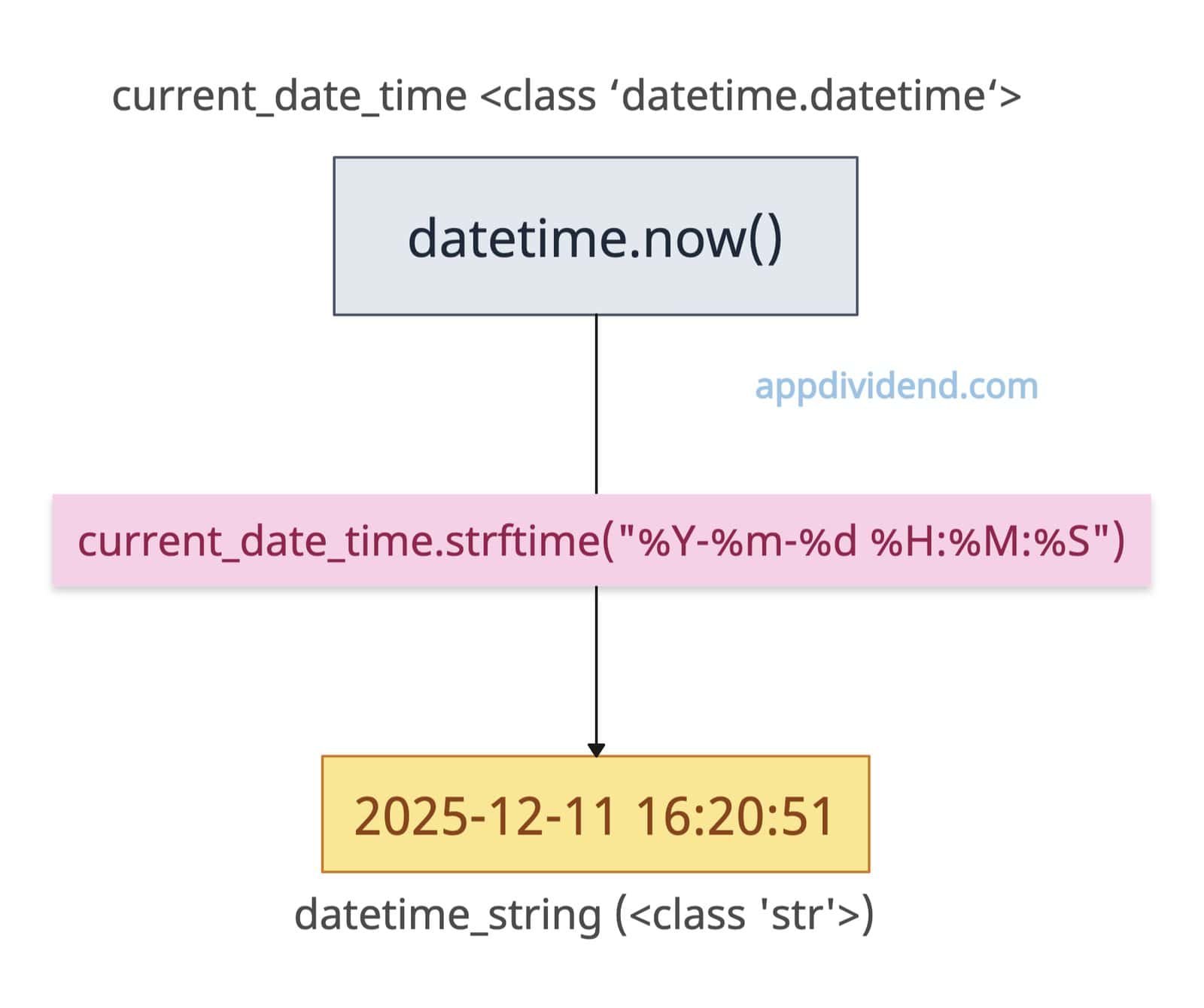
Type any format you want in the output, and yippee. You now have a formatted date and time string.
By default, when you use the datetime library, the output is a datetime object.
Let’s convert the current date and time to “%Y-%m-%d %H:%M:%S” format. The datetime.now() function allows us to define an object that represents the current date and time.
from datetime import datetime

# Creating a current datetime object
current_date_time = datetime.now()

print(current_date_time)
# Output: 2025-12-11 16:20:51.011945

print(type(current_date_time))
# Output: <class 'datetime.datetime'>

# Specify the format for the string
format = "%Y-%m-%d %H:%M:%S"

# Convert the datetime object to a string
datetime_string = current_date_time.strftime(format)

print(datetime_string)
# Output: 2025-12-11 16:20:51

print(type(datetime_string))
# Output: <class 'str'>
Syntax
date.strftime(format)
Parameters
| Argument | Description |
| format (string) | It represents a pattern containing % – directives (such as %Y, %m, %d) that specify how a date/time should be converted to text. |
Date and time components
| Format Code | Description | Example Output |
|---|---|---|
| %Y | Year with century | 2025 |
| %y | Year without century | 25 |
| %m | Month as a zero-padded number | 12 |
| %B | Full month name | December |
| %b | Abbreviated month name | Dec |
| %d | Day of the month as a zero-padded number | 11 |
| %A | Full weekday name | Thursday |
| %a | Abbreviated weekday name | Thu |
| %H | Hour (24-hour clock) as a zero-padded number | 16 |
| %I | Hour (12-hour clock) as a zero-padded number | 04 |
| %p | AM or PM | PM |
| %M | Minute as a zero-padded number | 54 |
| %S | Second as a zero-padded number | 45 |
| %Z | Time zone name | UTC |
| %z | UTC offset | +0000 |
| %c | Locale’s appropriate date and time | Thu Dec 11 16:54:45 2025 UTC |
| %x | Locale’s appropriate date | 12/11/25 |
| %X | Locale’s appropriate time | 16:54:45 |
Format codes reference
Day codes
from datetime import datetime

# Current date and time
current_date_time = datetime.now()

print(current_date_time.strftime("%d"))
# Output: 11 (Day of month, zero-padded (01-31))

print(current_date_time.strftime("%j"))
# Output: 345 (Day of year (001-366))

print(current_date_time.strftime("%A"))
# Output: Thursday (Full weekday name)

print(current_date_time.strftime("%a"))
# Output: Thu (Abbreviated weekday name (3 letters))

print(current_date_time.strftime("%w"))
# Output: 4 (Weekday as number (0=Sunday, 6=Saturday))

print(current_date_time.strftime("%u"))
# Output: 4 (ISO weekday as number (1=Monday, 7=Sunday)ime.strftime("%w")))
Month codes
from datetime import datetime

# Current date and time
current_date_time = datetime.now()

print(current_date_time.strftime("%m"))
# Output: 12

print(current_date_time.strftime("%B"))
# Output: December

print(current_date_time.strftime("%b"))
# Output: Dec (Abbreviated month name (3 letters))
Year codes
from datetime import datetime

current_date_time = datetime.now()

print(current_date_time.strftime("%Y"))
# Output: 2025

print(current_date_time.strftime("%y"))
# Output: 25 (2-digit year (00-99))

print(current_date_time.strftime("%G"))
# Output: 2025
Week codes
from datetime import datetime

current_date_time = datetime.now()

print(current_date_time.strftime("%U"))
# Output: 49 (Week number (Sunday as first day, 00-53))

print(current_date_time.strftime("%W"))
# Output: 49 (Week number (Monday as first day, 00-53))

print(current_date_time.strftime("%V"))
# Output: 50
Hour codes
from datetime import datetime

current_date_time = datetime.now()

print(current_date_time.strftime("%H"))
# Output: 16 (Hour (24-hour clock, 00-23))

print(current_date_time.strftime("%I"))
# Output: 04 (Hour (12-hour clock, 01-12))

print(current_date_time.strftime("%p"))
# Output: PM  (AM/PM indicator)
Minute and Second Codes
from datetime import datetime

current_date_time = datetime.now()

print(current_date_time.strftime("%M"))
# Output: 54 (Minute (00-59))

print(current_date_time.strftime("%S"))
# Output: 45 (Second (00-59))

print(current_date_time.strftime("%f"))
# Output: 043344 (Microsecond (000000-999999))
Timezone codes
from datetime import datetime, timezone

dt_utc = datetime(2025, 12, 11, 14, 30, tzinfo=timezone.utc)

print(dt_utc.strftime("%z"))
# Output: +0000 (UTC offset (+HHMM or -HHMM))

print(dt_utc.strftime("%Z"))
# Output: UTC (Timezone name)
File naming with Timestamps
Saving a file and naming it with a timestamp to make it unique is the most common use case for the strftime() method. Let’s say we are backing up an SQL database with the current timestamp. Here’s how you can do it:
from datetime import datetime

def create_backup_filename(base_name):
    timestamp = datetime.now().strftime("%Y%m%d_%H%M%S")
    return f"{base_name}_backup_{timestamp}.sql"

print(create_backup_filename("database"))

# Output: database_backup_20251211_165949.sql
That’s all!

