
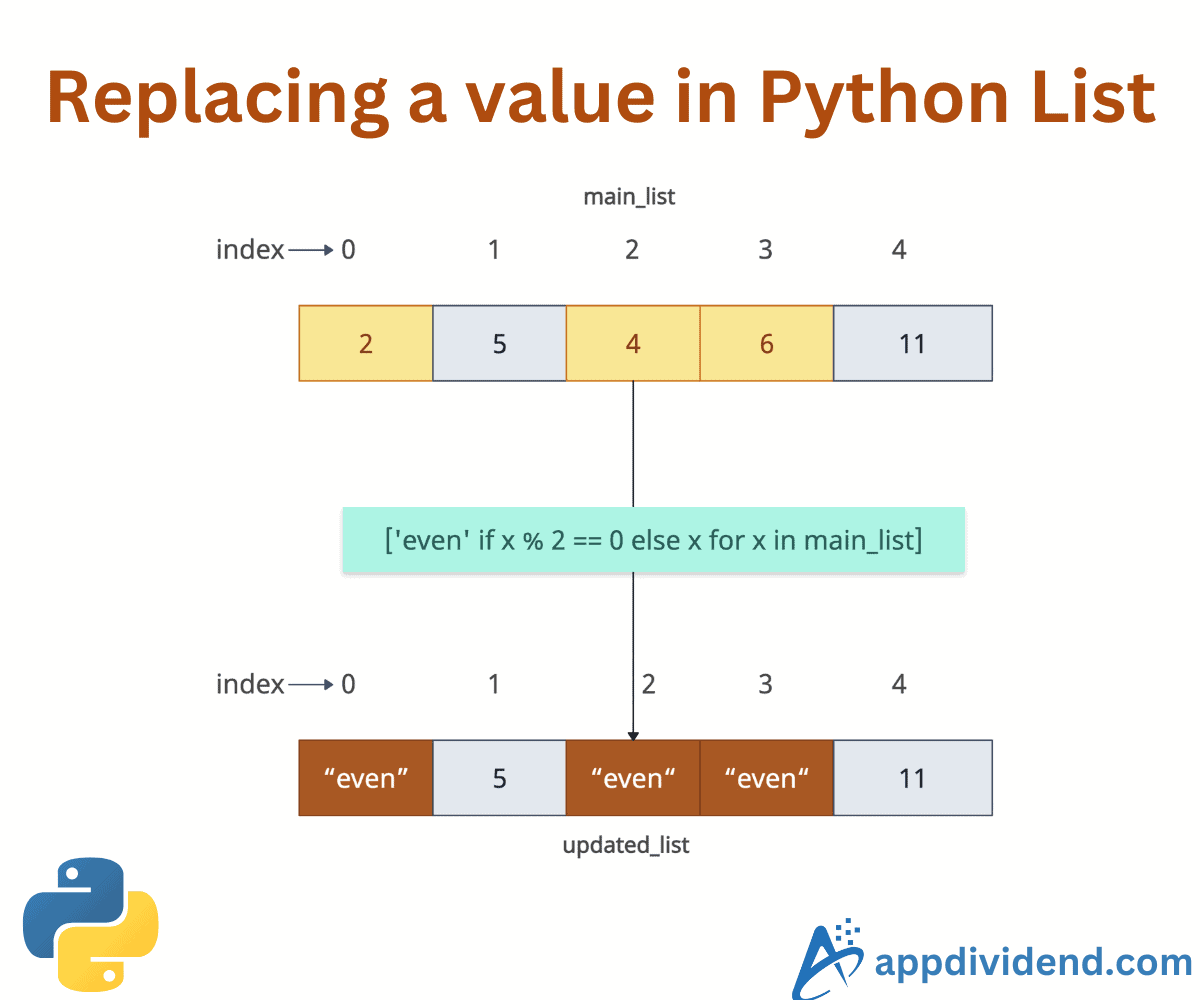
If the index is known, the easiest way to replace a specific element in a Python list is to assign a new value to its index in the list. Its time complexity is O(1). You can call this approach “Replacing with a known index”.
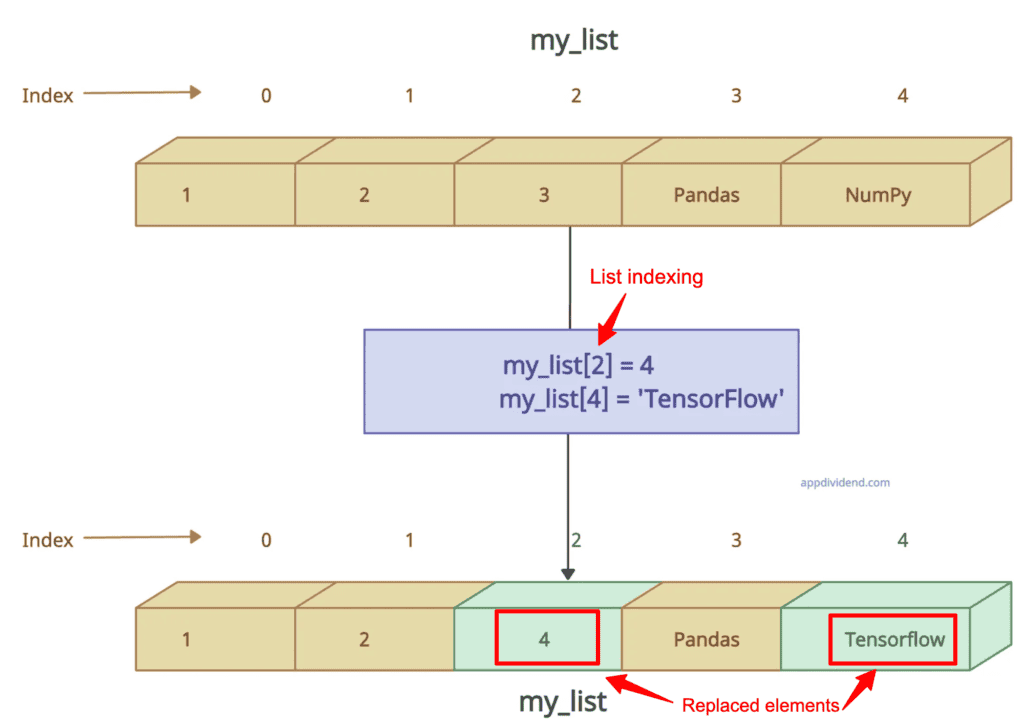
my_list = [1, 2, 3, 'Pandas', 'NumPy']

print("Before replacing:", my_list)

# Output: Before replacing: [1, 2, 3, 'Pandas', 'NumPy']

my_list[2] = 4            # Replacing 3 with 4
my_list[4] = 'TensorFlow'  # Replacing 'NumPy' with 'TensorFlow'

print("After replacing:", my_list)

# Output: After replacing: [1, 2, 4, 'Pandas', 'TensorFlow']
In this code, we defined a list and wanted to replace two elements. Since we know their indices, we can use the list indexing to replace those elements at a specific index.
Negative indices work too (e.g., my_list[-1] = “TensorFlow” replaces the last element too).
Use try/except blocks to avoid errors.
Finding an element and replacing it
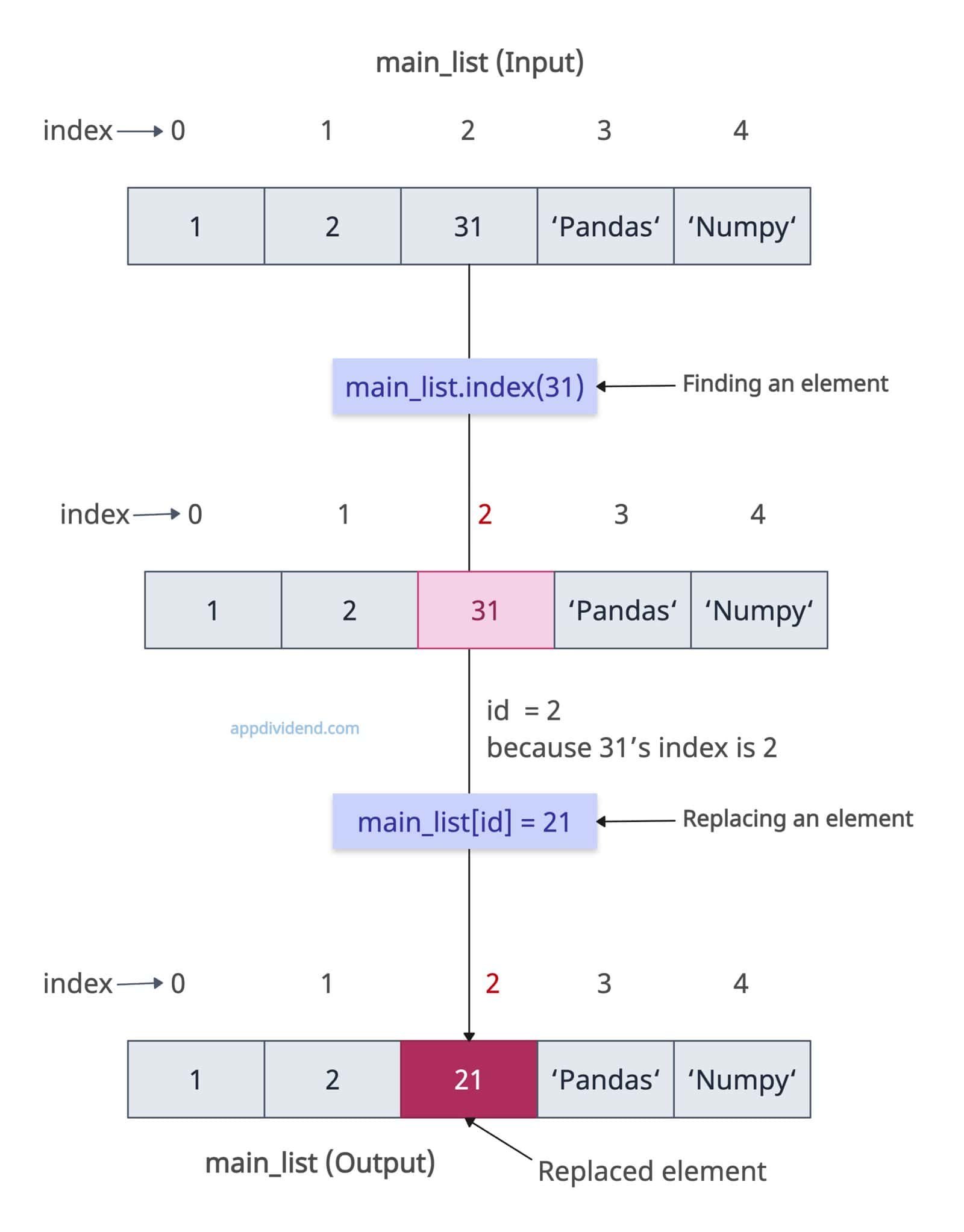
If you have a value that needs to be replaced but don’t know its index, you can use the list.index() method.
The list.index() method accepts a value and returns its index. You can use that index to locate that element and replace it using indexing.
main_list = [1, 2, 3, 'Pandas', 'NumPy']

print("Before replacing:", main_list)

# Output: Before replacing: [1, 2, 31, 'Pandas', 'NumPy']

try:
    id = main_list.index(31)

    main_list[id] = 21

    print("After finding and replacing:", main_list)

except ValueError:
    print("Value not found")


# Output: After finding and replacing: [1, 2, 21, 'Pandas', 'NumPy']
In this code, we first find the index of element 31 using the .index() method. Once we have an index, we can use the list indexing to replace the element, which in our case is 21. The updated list has “21” element.
Replacing all occurrences of a value

The most Pythonic way to replace multiple values in a list is to use a list comprehension. It creates a new list and does not modify an existing list.
Let’s say we have a list of cars and we want to replace BMW with Jaguar.
cars_list = ["Toyota", "BMW", "Tesla", "BMW", "Land Rover"]

print("Before replacing:", cars_list)

# Output: Before replacing: ["Toyota", "BMW", "Tesla", "BMW", "Land Rover"]

new_cars_list = [car if car != "BMW" else "Jaguar" for car in cars_list]

print("After replacing:", new_cars_list)

# Output: After replacing: ["Toyota", "Jaguar", "Tesla", "Jaguar", "Land Rover"]
In this code, each occurrence of “BMW” is replaced with “Jaguar” and a new list is returned.
You can use a loop with the enumerate() function if you want to modify the original list.
cars_list = ["Toyota", "BMW", "Tesla", "BMW", "Land Rover"]

print("Before replacing:", cars_list)

# Output: Before replacing: ["Toyota", "BMW", "Tesla", "BMW", "Land Rover"]

for i, val in enumerate(cars_list):
    if val == "BMW":
        cars_list[i] = "Jaguar"

print("After replacing:", cars_list)

# Output: After replacing: ["Toyota", "Jaguar", "Tesla", "Jaguar", "Land Rover"]
In this code, we used the enumerate() function for safety with indices.
Loops have O(n) time complexity, where n is the number of elements in the list.
Conditional replacement
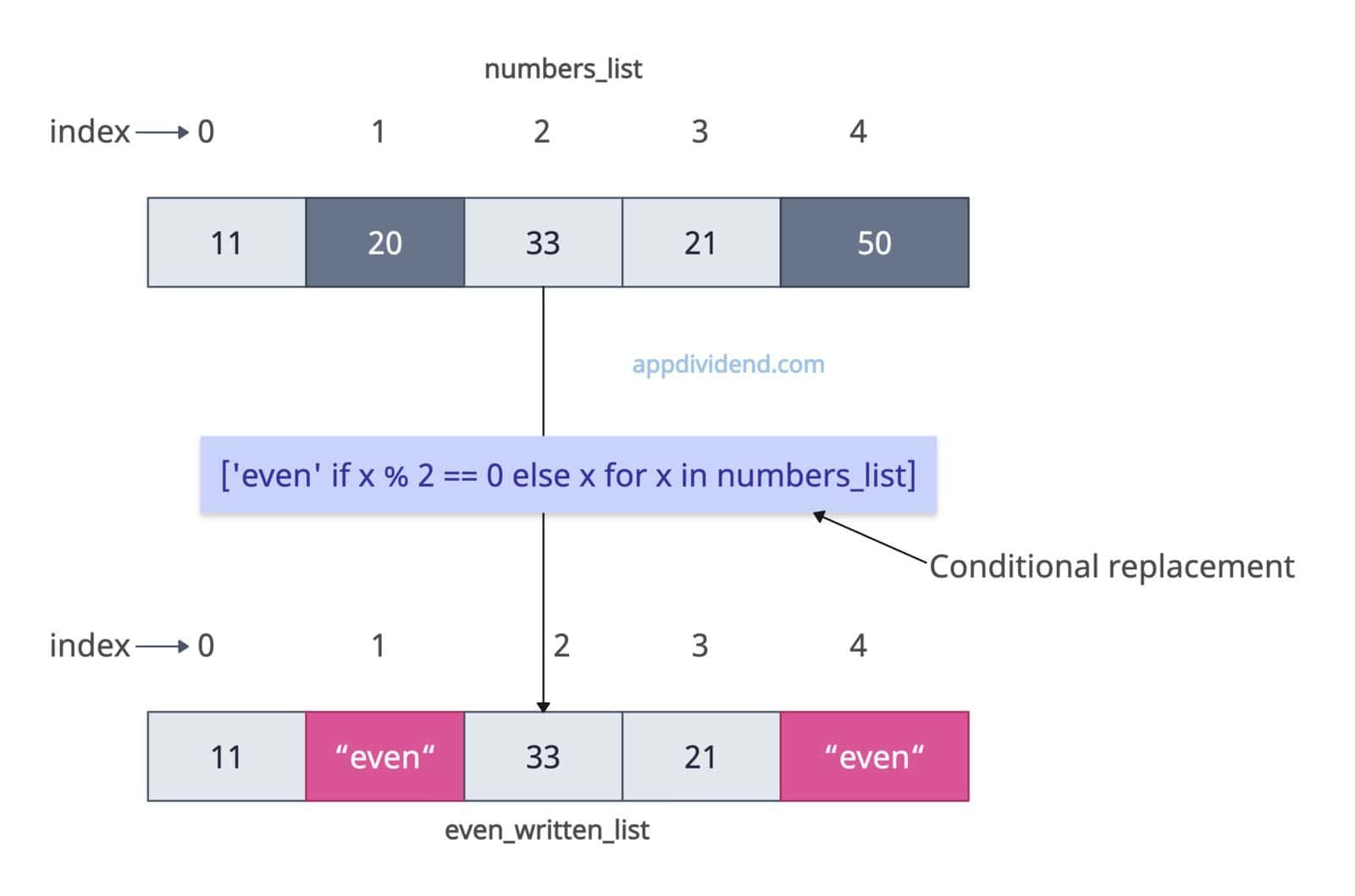
What if you want to replace specific elements based on a condition? In that case, you can still use the list comprehension and define your condition in it.
Let’s say I have a list of numbers and I want to replace even numbers with the string “even”. Here is how you can do it:
numbers_list = [11, 20, 33, 21, 50]

even_written_list = ['even' if x % 2 == 0 else x for x in numbers_list]

print(even_written_list)

# Output: [11, 'even', 33, 21, 'even']
In list comprehension, we check each element for an even number and, if found, replace it with the string “even”.
Replacing values in nested lists
It becomes complicated when you have a list of lists and want to replace elements in the nested list. In this case, we can either use nested comprehensions or loops.
matrix = [[1, 2], [3, 2], [4, 5]]

print(matrix)

# Output: [[1, 2],
#          [3, 2],
#          [4, 5]]

updated_matrix = [[21 if x == 2 else x for x in row] for row in matrix]

print(updated_matrix)

# Output: [[1, 21],
#          [3, 21],
#          [4, 5]]
Immutable types
What if a list contains immutable types like a tuple? Well, in that case, we can replace the entire element but not mutate the immutable object.
list_of_tuples = [(21, 19), (12, 17)]

print(list_of_tuples)

# Output: [(21, 19), (12, 17)]

list_of_tuples[1] = (11, 18)

print(list_of_tuples)

# Output: [(21, 19), (11, 18)]
In this code, we are trying to replace the second element (12, 17), which is a tuple. Now, carefully see that we replaced the whole tuple and not an element of that tuple using list indexing.
In the output, a new tuple (11, 18) replaces the old tuple (12, 17).
TypeError: ‘tuple’ object does not support item assignment
If you try to modify the tuple, it will throw this error: TypeError: ‘tuple’ object does not support item assignment. You cannot modify the tuple elements as they are immutable.
list_of_tuples = [(21, 19), (12, 17)]

list_of_tuples[0][0] = 99

print(list_of_tuples)

# TypeError: 'tuple' object does not support item assignment
To prevent the TypeError and replace a specific element of a tuple, you must first convert it to a list, replace the element, and then convert it back to a tuple —a time-consuming process.
Empty list
If the list is empty, there is nothing to replace. If you try to do it anyway, it will throw an error. So, use a try-except block to handle possible exceptions.
empty_list = []

try:
    empty_list[0] = 10
except IndexError:
    print("Cannot replace a value in an empty list")

# Output: Cannot replace a value in an empty list
That’s all!

