
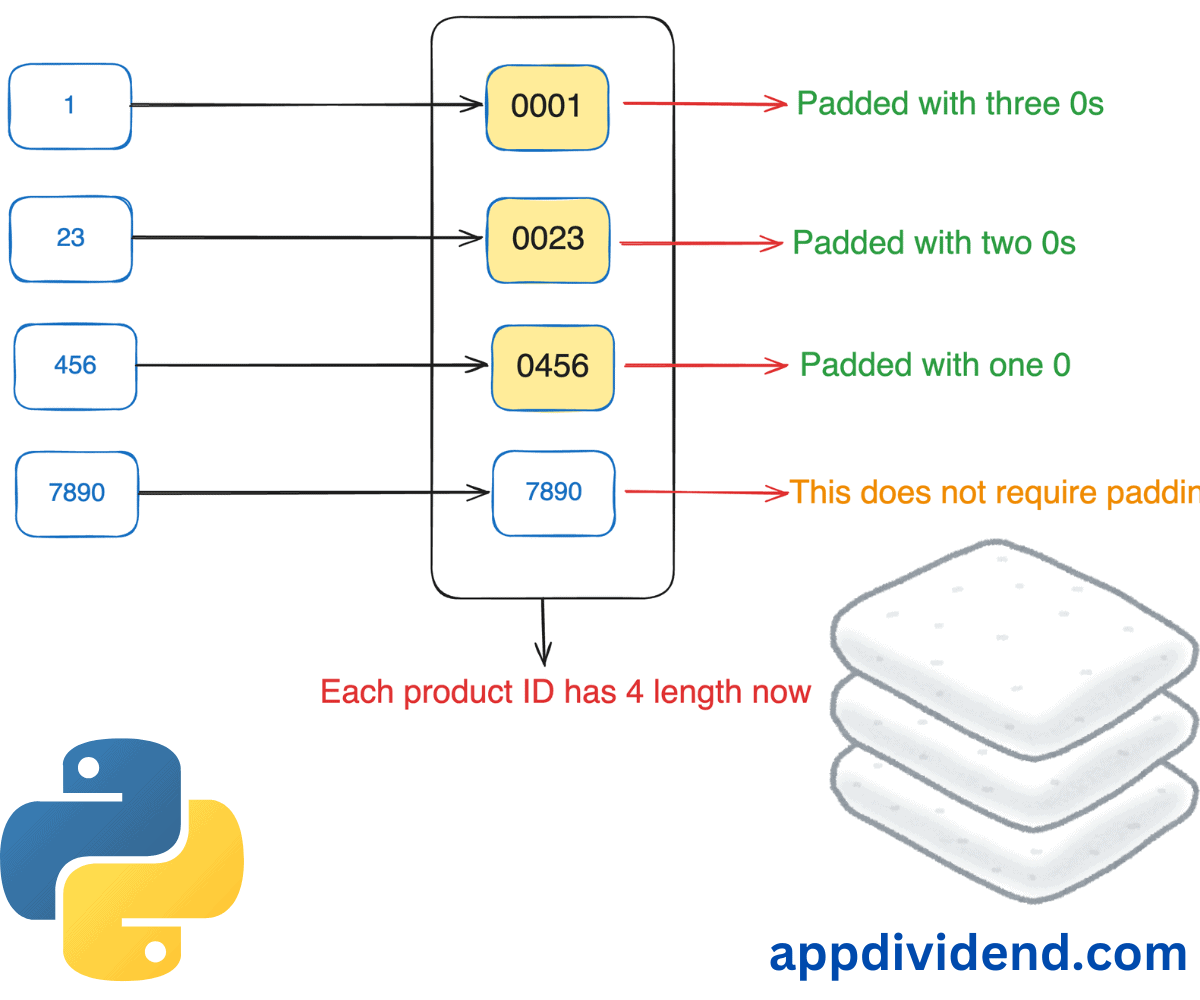
Padding is the process of appending or prepending extra characters to a string to achieve a desired length or to comply with specific formatting requirements.

Here is the complete explanation of the above image. Consider this: We have a list of product IDs that we want to display in a catalog. The product IDs are numeric and vary in length.
Product IDs:

1
23
456
7890
You can see that we have four product IDs, and each has a different length. Can you see the problem now?
The problem is that our eyes are used to seeing IDs of the same length. If they are different, we can assume something is missing or wrong. And dear friends, that missing part is “padding!”.
To make their lengths consistent, let’s use zero padding. This means we will prepend 0 to each ID to align with a length of 4.
Zero-padded Product IDs:

0001
0023
0456
7890
Here are four different ways to pad a string with leading zeros:
Method 1: String zfill()
The quickest and efficient way to pad a String with Zeros is to use the string.zfill() method. It takes “width” as an argument. It is a numeric value that specifies the desired length of the string.
Furthermore, the zfill() method adds zeros (0) at the beginning of the string to match the expected length of a string.
To elaborate on that point, let’s say we have a string whose length is 1. Our desired output string’s length should be 4. This means that the zfill() method will add three 0s at the beginning of the string to align it with a final length of 4.
Here is the pictorial representation:

Below is the code that models this precisely:
main_str = "21"
print("Before padding")
print(main_str)

padded_main_str = main_str.zfill(5)

print("After padding")
print(padded_main_str)
Output
After padding
21

After padding
00021
In the above code, our input string’s length is 2, and our desired length is 5. That means the zfill() method will add three 0s at the beginning of the string to match the output. It pads zeros until it reaches the desired length.
If you want to pad with a specific character, then the zfill() method won’t work. To carry out that particular operation, you should use our next method, which is the rjust() method with the fillchar argument.
Method 2: rjust() function with the fillchar argument
The rjust() method is flexible when you want to pad any specific character instead of 0. It accepts the “width” and “fillchar” arguments.
The “width” argument is the length of the returned string.
The “fillchar” argument is a character to be filled. The default padding character is “space” if you don’t pass any.
When working with a tabular format, you may need a different character for padding, and that is where this method is helpful.
Here is the visual representation of the rjust() method:

Here is a script that demonstrates this approach:
main_str = "21"
print("Before padding")
print(main_str)

padded_main_str = main_str.rjust(5, "@")

print("After padding")
print(padded_main_str)
Output
Before padding
21

After padding
@@@21
In the above output, you can see that our padding character is “@”.
As stated earlier, I highly recommend this method if your padding character is other than 0.
Since our main objective is to pad with 0, you need to write main_str.rjust(5, “0”), and it will return the string padded with 0.
Method 3: f-string
String padding is a type of string formatting, and it is incomplete if you cannot include “f-strings”.
Python 3 introduces “f-strings” – an easy way to format your string by specifying the width and padding character using the format f”{value:0width}”. Here, “value” is your input string, “0” is your padding character, and “width” is the ultimate length of a string.
Here is an illustration of how the f-strings approach works:

Here’s the programmatic implementation showing that:
main_str = "21"
print("Before padding")
print(main_str)

padded_main_str = f"{main_str:05}"

print("After padding")
print(padded_main_str)
Output
Before padding
21

After padding
21000
If you carefully analyze the above output, you can see that we appended three 0s to the string, not prepended. Meaning it appears at the end of the string, not at the start of the string.
If you want to pad at the end of the string, then the “f-string” approach is a perfect fit.
A significant use case for this method is that if your string formatting involves multiple variables and requires padding, you can accomplish both tasks using this single approach, saving you a considerable amount of time.
Method 4: String format()
This is a complementary method that achieves the same functionality as “f-strings,” but with a functional approach, introduced in Python 2.
So, how do you use the string.format() method? Well, you can use the format() method to specify the width and padding character using the format {:0width}.
main_str = "21"
print("Before padding")
print(main_str)

padded_main_str = "{:05}".format(main_str)

print("After padding")
print(padded_main_str)
Output
Before padding
21

After padding
21000
As predicted, the above output matched our expectations! So, why do we need this approach in the first place if f-strings work for us? Well, there are a couple of reasons.
If you need to format strings dynamically based on variables, use the string.format() method is a perfect fit. To elaborate further, if you are constructing a string that requires dynamic variables and user input, this approach is what you are looking for.
This method enables us to define the width and padding character using placeholders. Like, how cool is that!!

