

JavaScript String trim() function removes whitespace characters from both the beginning (leading) and end (trailing) of a string, returning a new string without modifying the original.
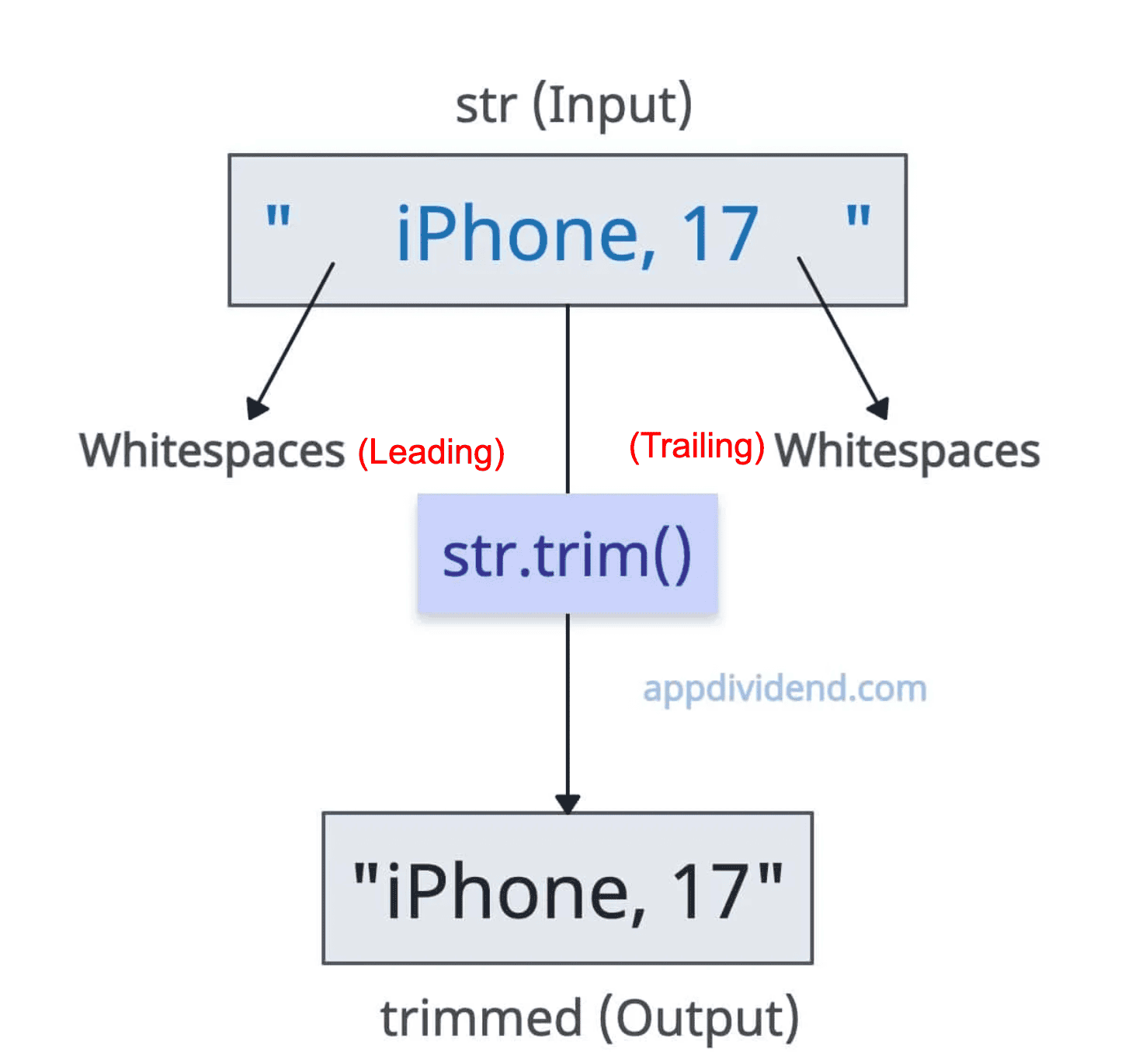
Whitespace includes standard spaces (‘ ‘), tabs (‘\t’), newlines (‘\n’), carriage returns (‘\r’), form feeds (‘\f’), vertical tabs (‘\v’).
const str = "   iPhone, 17   ";

console.log(str)

// Output:     iPhone, 17

const trimmed = str.trim();

console.log(trimmed);

// Output: iPhone, 17
In the above code, you can see that we removed leading and trailing whitespaces from both ends of the input string. One thing to note is that internal spaces are preserved.
Syntax
string.trim()
Parameters
This method takes no arguments.
Mixed Whitespace Types
It is not necessary to have common whitespaces in the string. There are other types of whitespace characters as well, and the trim() function can handle that gracefully.

const str = "\t\n IOS 26 \r\f\v";

console.log(str)

// Output:
//        IOS 26


const trimmed_str = str.trim();

console.log(trimmed_str);

// Output: IOS 26
In this code, we used \t, \n, \r, \f, and \v whitespace characters in a string, trimmed that string, and returned a clean string. These types of whitespace characters are common in text from files or user pastes.
If no whitespace is present at the beginning or end, it returns an unmodified string because there is nothing to trim.
Unicode Whitespace
The trim() function also strips unicode whitespace characters (those with the White_Space property in Unicode, such as non-breaking spaces \u00A0 and zero-width spaces \u200B).
const str = "\u200B\u00A0Hello\u200B\u00A0";

console.log(str)

// Output:   Hello

const trimmed_str = str.trim();

console.log(trimmed_str);

// Output: Hello
It removes zero-width spaces (\u200B) and non-breaking spaces (\u00A0).
This is helpful for international or web-scraped text.
Empty String
If the input string is empty, the output is also an empty string without any changes, and no error is thrown.
const str = "";

console.log(str)

// Output:

const trimmed = str.trim();

console.log(trimmed);

// Output:
String with only whitespace
If all the content in a string is whitespace, it returns an empty string.
It helps validate non-empty inputs (e.g., if (input.trim() === ”) { /* handle empty */ }).
const str = "   \t\n ";

console.log(str)

// Output:
//

const trimmed = str.trim();

console.log(trimmed);

// Output:
TypeError: Cannot read properties of null (reading ‘trim’)
If the input is null or undefined, it will throw the TypeError: Cannot read properties of null (reading ‘trim’) error.
let str = null;

console.log(str.trim());

// TypeError: Cannot read properties of null (reading 'trim')
To resolve this error, use the optional chaining operator (?), which returns undefined.
let str = null;

console.log(str?.trim());

// Output: undefined
Remove internal whitespace from a string
Using the string.trim() method, you cannot remove whitespace between words within a string. It can only remove from the start and end.
To remove whitespace inside a string in JavaScript, use the string.replace() method with a regular expression. The replace() method removes whitespace from the start, middle, and end points, meaning it removes whitespace from anywhere.

const input_string = "  This string is a string    with   lots of  whitespace.    ";

console.log(input_string)

// Output:   This string is a string    with   lots of  whitespace.

const string_without_whitespace = input_string.replace(/\s/g, '');

console.log(string_without_whitespace);

// Output: Thisstringisastringwithlotsofwhitespace.
The above output is without any whitespaces, just like a single word.
That’s all!


js truncate string
i anyone dealing with truncation words in strings, i recommend using the cuttr.js library https://github.com/d-e-v-s-k/cuttr-js
Sound of text
Great explanation of the JavaScript string trim() method! It’s helpful to know that it can remove whitespace from both sides of a string. This is especially useful when working with user input or data that may have extra spaces or line breaks added by the user. Thanks for sharing this information!