

The range() function by default does not support a decimal (float) step in Python. It always accepts an integer.
But what if you want your step to be a float? Like this: [1.1, 1.1, 1.2, …, 2.0]. If you attempt range(1, 2, 0.1), the interpreter will raise a TypeError.
That’s where different techniques come into the picture, based on the field you are working in.
Method 1: List comprehension with manual range
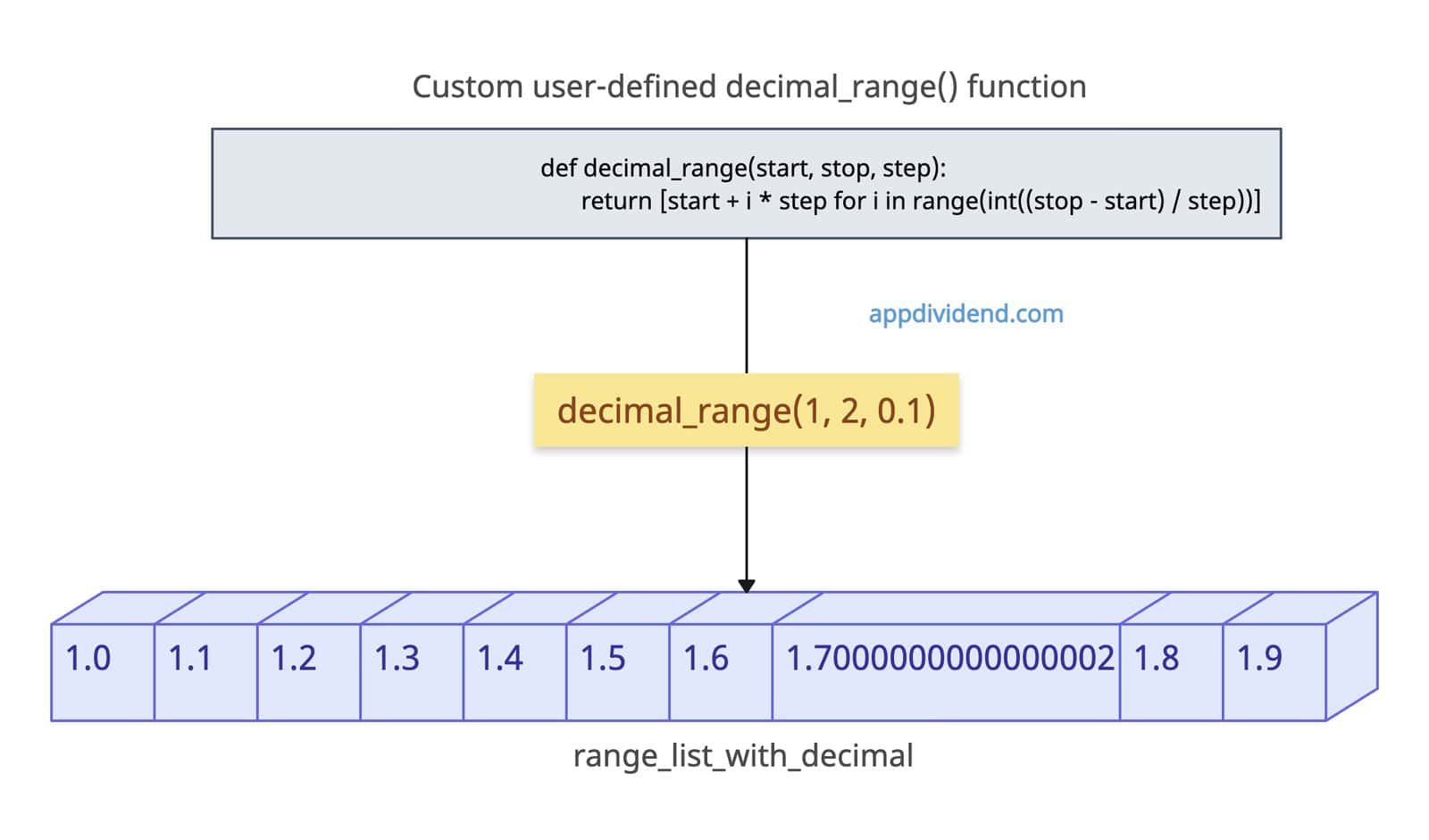
The most Pythonic way, without using external libraries, is to use list comprehension and create a new list with a manual range with a decimal step.
def decimal_range(start, stop, step):
    return [start + i * step for i in range(int((stop - start) / step))]

range_list_with_decimal = decimal_range(1, 2, 0.1)

print(range_list_with_decimal)

# Output: [1.0, 1.1, 1.2, 1.3, 1.4, 1.5, 1.6, 1.7000000000000002, 1.8, 1.9]
In this code, we defined a custom function that accepts three arguments:
- start: Starting point of the sequence (1)
- stop: Ending point of the sequence (2).
- step: It is a float value that defines the interval between the sequence.
The int((stop – start) / step) function calculates the total number of values in the sequence, which should be an integer. In our case, the total number of elements in a list should be 10, from 1.0 to 1.9.
start = 1
stop = 2
step = 0.1

(stop - start) = 1

1 / 0.1 = 10

int(10) = 10
The start + i * step suggests the following logic:
For each i in range(10), it calculates:
1 + 0 * 0.1 = 1.0
1 + 1 * 0.1 = 1.1
1 + 2 * 0.1 = 1.2
...
1 + 9 * 0.1 = 1.9
And hence we get the output list with proper sequence.
However, there is one value which is 1.7000000000000002. This is because floating-point arithmetic is not perfectly accurate in binary. So, this is a disadvantage of this approach. Also, the stop value is 2.0, which is not included in the final list output.
Method 2: NumPy linspace()
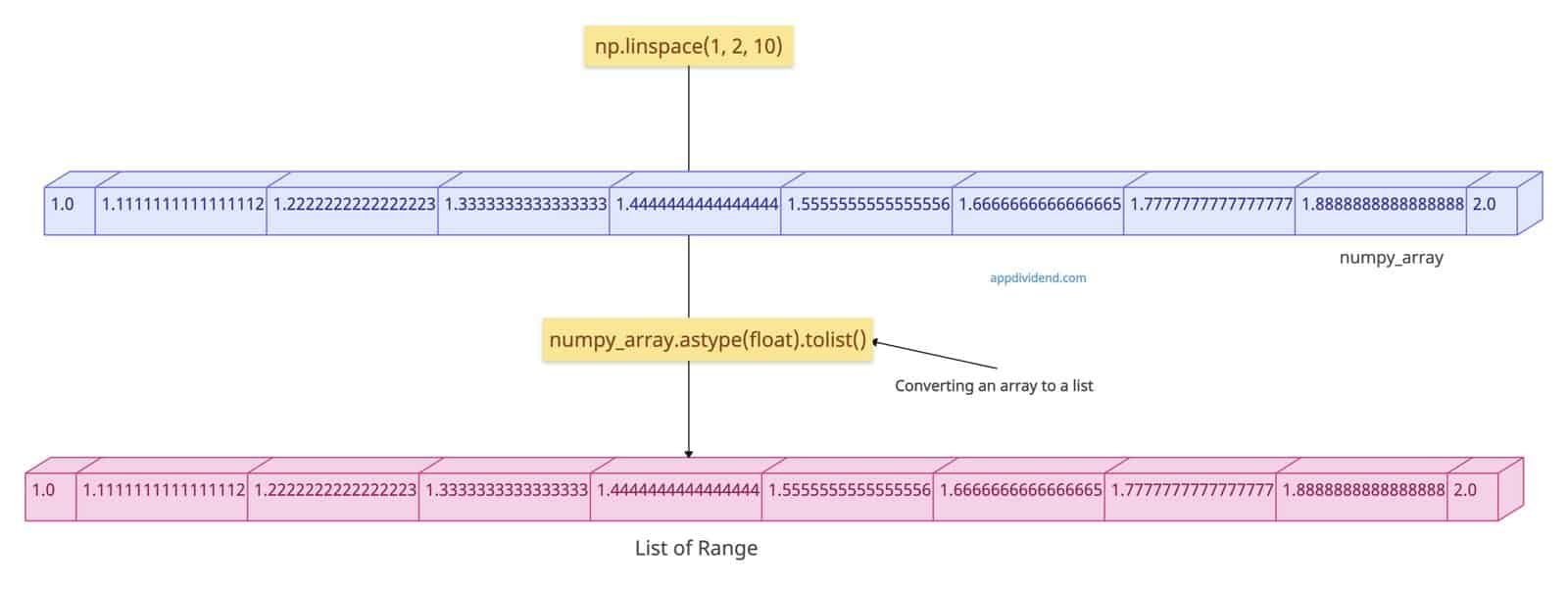
If you are working with pure numeric and scientific data and do not mind using an external library, use numpy.linspace() method.
It generates the exact count of evenly-spaced values (endpoint inclusive by default).
import numpy as np

# Generating exactly 10 points from 0 to 1
numpy_array = np.linspace(1, 2, 10)

print(numpy_array.astype(float).tolist())
# Output: [1.0, 1.1111111111111112, 1.2222222222222223, 1.3333333333333333, 1.4444444444444444, 1.5555555555555556, 1.6666666666666665, 1.7777777777777777, 1.8888888888888888, 2.0]

# Excluding endpoint
no_endpoint = np.linspace(1, 2, 10, endpoint=False)

print(no_endpoint.astype(float).tolist())
# Output: [1.0, 1.1, 1.2, 1.3, 1.4, 1.5, 1.6, 1.7000000000000002, 1.8, 1.9]
In the first output, you can see that the final range includes the endpoint 2.0. That means the np.linspace() method does include the endpoint.
If you do not want to include the endpoint in the final range, pass endpoint=False to the np.linspace().
The numpy library returns an array; to convert it to a list, use the .tolist() method on the numpy object.
Method 3: Using NumPy arange()
If you want to generate an array quickly with floating-point steps, which is best for performance and array operations, use numpy.arange() method.
import numpy as np

# Basic decimal range
numpy_array = np.arange(0, 1, 0.1)

print(numpy_array.astype(float).tolist())
# Output: [0.0, 0.1, 0.2, 0.30000000000000004, 0.4, 0.5, 0.6000000000000001, 0.7000000000000001, 0.8, 0.9]

# Negative step
backward_array = np.arange(5, 0, -0.5)

print(backward_array.astype(float).tolist())
# Output: [5.0, 4.5, 4.0, 3.5, 3.0, 2.5, 2.0, 1.5, 1.0, 0.5]
In this code, we generated a standard sequence and a backward sequence by passing the steps, positive and negative.
Method 4: Using “decimal” module (High precision)
If you are going for an arbitrary precision with no floating-point artifacts and financial calculation with no decimal errors, use the decimal module.
from decimal import Decimal

start, stop, step = Decimal("1.0"), Decimal("2.0"), Decimal("0.1")
nums = []

x = start
while x <= stop:
    nums.append(x)
    x += step

print([float(n) for n in nums])

# Output: [1.0, 1.1, 1.2, 1.3, 1.4, 1.5, 1.6, 1.7, 1.8, 1.9, 2.0]
In this code, we use a while loop to generate a range of decimal numbers with a specified decimal step.
We defined a nums list and appended a decimal value one by one within a while loop.
Using list comprehension, we created a new list with all the floating-point values and printed the list of range.

