

For debugging, inspecting intermediate outputs, or displaying structured results, you need to print the numpy array or list.
Method 1: Using print()
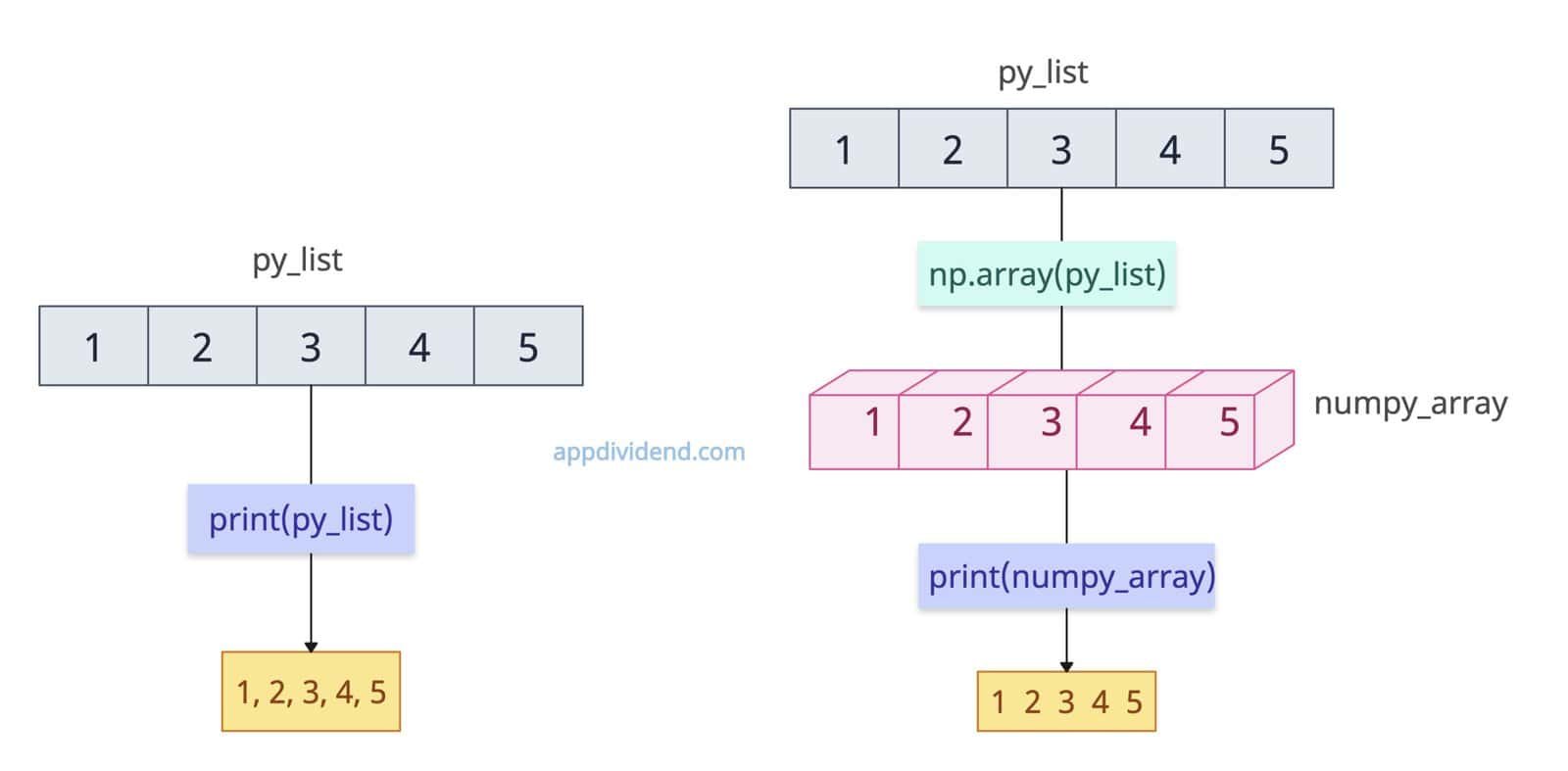
The most effortless way to print an array or list in Python is to use the print() function and pass that array or list to it. It is the quickest way to debug the input structure.
import numpy as np

py_list = [1, 2, 3, 4, 5]

print(py_list)

# Output: [1, 2, 3, 4, 5]

numpy_array = np.array(py_list)

print(numpy_array)

# Output: [1 2 3 4 5]
In this code, we defined a simple list and printed it on the console.
We used the same list to create a numpy array by passing it to the np.array() method. Then, we printed it.
The main disadvantage of using just the print() method is that it does not work well with nested lists or arrays. However, it can print nested structures, but they are not easily readable.
Method 2: pprint.pprint()
The pprint.pprint() method pretty-prints nested/complex lists in a human-readable format. Import the built-in pprint library.
from pprint import pprint

nested_list = [{'name': 'Krunal', 'hobbies': [
    'watching', 'gym']}, 10, [11, [19, 21]]]

pprint(nested_list, width=40)

# Output:
# [{'hobbies': ['watching', 'gym'],
#   'name': 'Krunal'},
#  10,
#  [11, [19, 21]]]
As you can see from the above output, it is ideal for inspecting deeply nested lists.
The disadvantage of the pprint module is that it does not work with numpy arrays. It throws ValueError: setting an array element with a sequence. The requested array has an inhomogeneous shape after 1 dimensions. The detected shape was (3,) + inhomogeneous part.
Method 3: Printing elements one by one using a for loop
What if you want better control over spacing, styling, or separators between elements while printing? In that case, use a for loop and print elements one by one.
For a 1D list, the loop iterates through each element, printing them one by one.
For a 2D (multidimensional) list, a nested for loop is used: the outer loop iterates over each row, while the inner loop iterates over each element in that row, enabling the list to be printed in a matrix-like format.
List
even_list = [2, 4, 6, 8, 10]
even_2d_list = [[2, 4], [6, 8]]

for element in even_list:
    print(element)

# Output:
# 2
# 4
# 6
# 8
# 10

for row in even_2d_list:
    for x in row:
        print(x, end=" ")
    print()

# Output:
# 2  4
# 6  8
NumPy array
import numpy as np

odd_array = np.array([1, 3, 5, 7, 9])
odd_2d_array = np.array([[1, 3], [5, 7]])

for element in odd_array:
    print(element)

# Output:
# 1
# 3
# 5
# 7
# 9


for row in odd_2d_array:
    for x in row:
        print(x, end=" ")
    print()

# Output:
# 1   3
# 5   7
Method 4: Unpacking elements (space-separated)
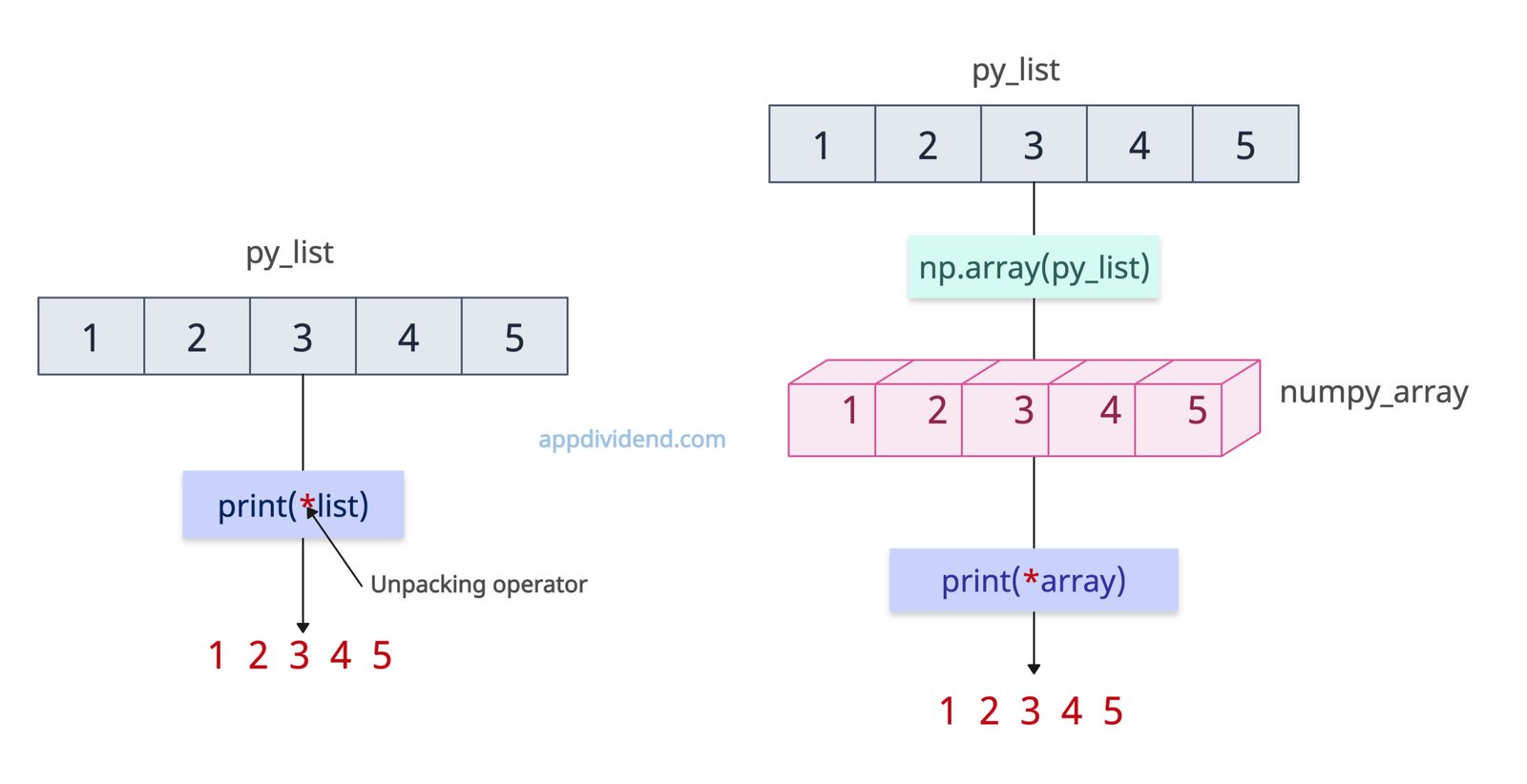
If you want to print a list or array without brackets or commas, for a clean one-liner output, use the print(*list) function.
import numpy as np

list = [1, 2, 3, 4, 5]

print(*list)

# Output: 1 2 3 4 5

array = np.array(list)

print(*array)

# Output: 1 2 3 4 5
The above printed list and array outputs are readable without brackets or commas.
Method 5: Using join()
If you have a list of strings, you can use the .join() method with any separator you like and print the formatted list in the console.
list = ["bmw", "audi", "jaguar"]

print(", ".join(list))

# Output: bmw, audi, jaguar
It only works with a list of strings and not numeric values.
That’s all!

