
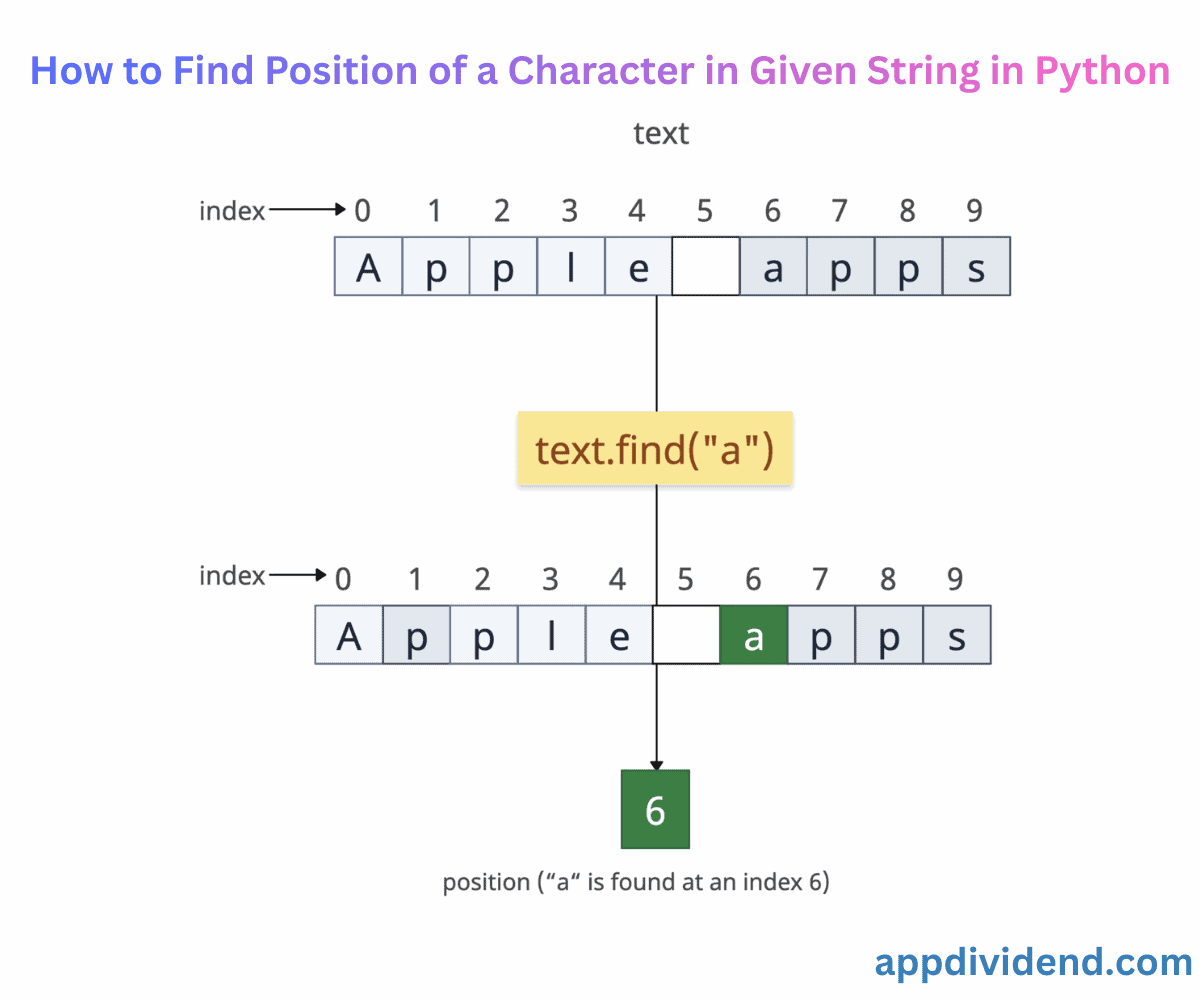
The character’s position in a string allows you to locate where specific data exists within the text that helps you to parse data, validate, or perform text manipulation.
Here are multiple ways to locate a character in a string:
Method 1: Using str.find()

The safest and most efficient way to find a character in a string is to use the str.find() method. It returns the index of the first occurrence of that character if it is found in the string and ignore the rest occurrences.
If the character does not match any character in the string, it returns -1 and does not throw any error.
It is a case-sensitive method. So, the character in that case must be matched to get an index.
String indexing starts with 0. So, the first character has the 0th index. Whitespaces are counted as a character.
text = "Apple apps"

position = text.find("p")
print(position)
# Output: 1

second_position = text.find("a")
print(second_position)
# Output: 6 (Case-sensitive search)

not_position = text.find("z")
print(not_position)
# Output: -1
In the first case, the first occurrence of “p” is at index 1. The rest of the “p”s are ignored.
In the second case, we are searching for the specific character “a” and not “A”. So, it only returns the first index of “a”, which is at index 6.
In the third case, there is no character “z” in a string. So, it returns -1.
Empty string
Checking against an empty input string returns -1.
empty_text = ""

position = empty_text.find("p")

print(position)

# Output: -1
Method 2: Using str.index()
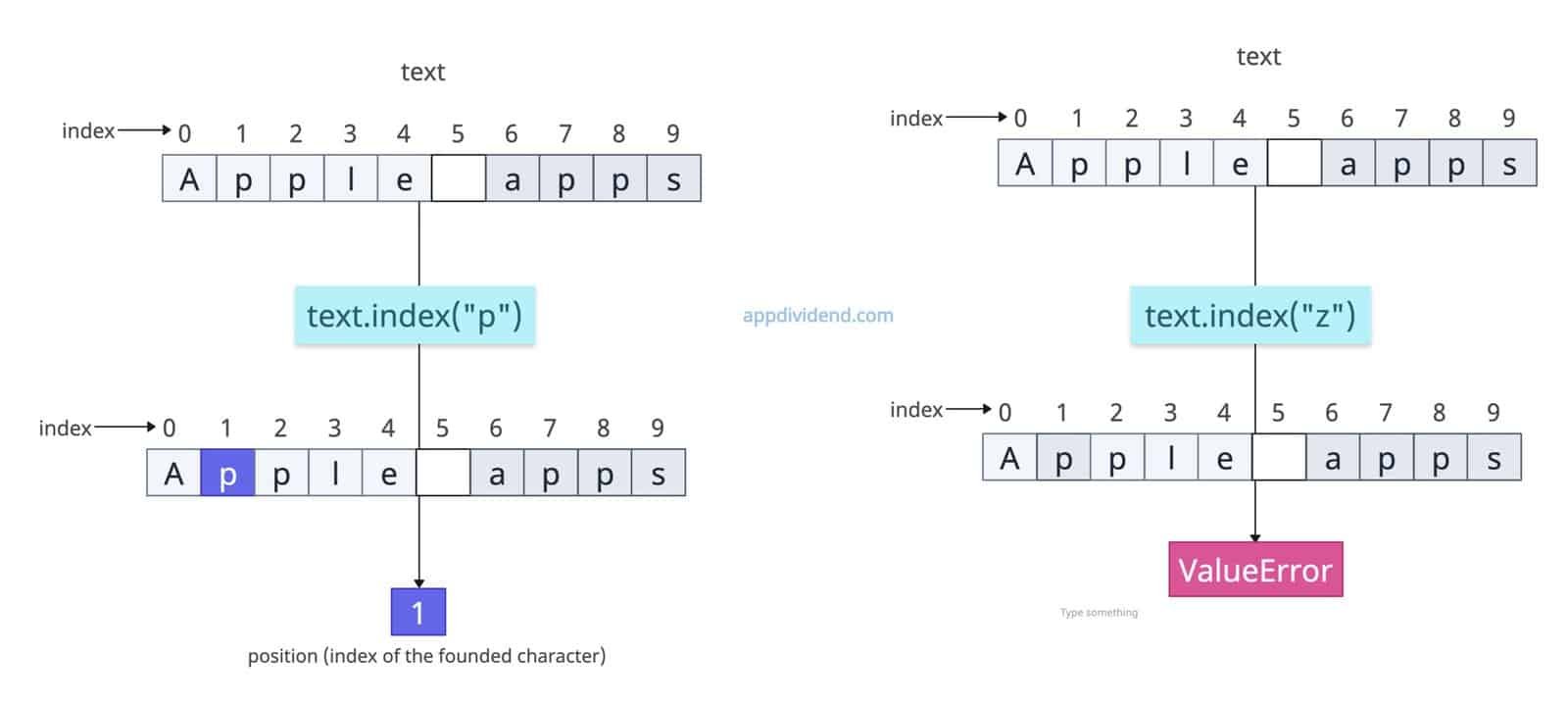
The str.index() method works almost the same as the str.find() method, except that one difference is that if the character is not found in a string, it raises a ValueError. So, it is not a fail-safe method.
When you are using the str.index() method, you always wrap your code with a try-except block to prevent the program from crashing and handle the error gracefully.
text = "Apple apps"

try:
    position = text.index("p")
    print(position)
    # Output: 1
except ValueError:
    print("The character was not found.")

try:
    second_position = text.index("a")
    print(second_position)
    # Output: 6 (Case-sensitive search)
except ValueError:
    print("The character was not found.")

try:
    third_position = text.index("z")
    print(third_position)
except ValueError:
    print("The character was not found.")
    # Output: The character was not found.
The first and second cases are easy, but in the third case, the interpreter throws a ValueError, and we simply catch it and print that the character was not found in the input string.
Method 3: Using a regular expression
The regex module “re” is only used when you are searching for a complex pattern in a string.
For example, if you have an input string that contains numeric values and you want to find the position at which a numeric value occurs, you can use the re.search() method and pass the pattern for finding the numeric value.
import re

kbt = "kb19kl"

match = re.search(r'\d', kbt)

print(match.start())

# Output: 2
In this code, the numeric value starts at position 2 in the “kbt” string. That’s why it returns 2 in the output.
Finding multiple positions of a character
The re module provides multiple-match support, meaning it can search multiple positions for a single character.
For multiple occurrences, use the re.finditer() method and match.start() and match.group() methods.
import re

text = "Price: $21.19 and $3714.48"

for match in re.finditer(r'\$\d+\.\d+', text):
    print(f"Amount at position {match.start()}: {match.group()}")

# Output:
# Amount at position 7: $21.19
# Amount at position 17: $3714.48
In this code, we are searching for all occurrences of the sign “$” in the string, finding their positions and the complete values after each sign. The $ occurs 2 times with floating-point values.
That’s all!

