
Extracting the Top-level Domain (TLD) from a URL helps web filtering systems and security tools. You can categorize websites by type (.edu, .tech, .ai) or region (.com, .in, .co.uk).
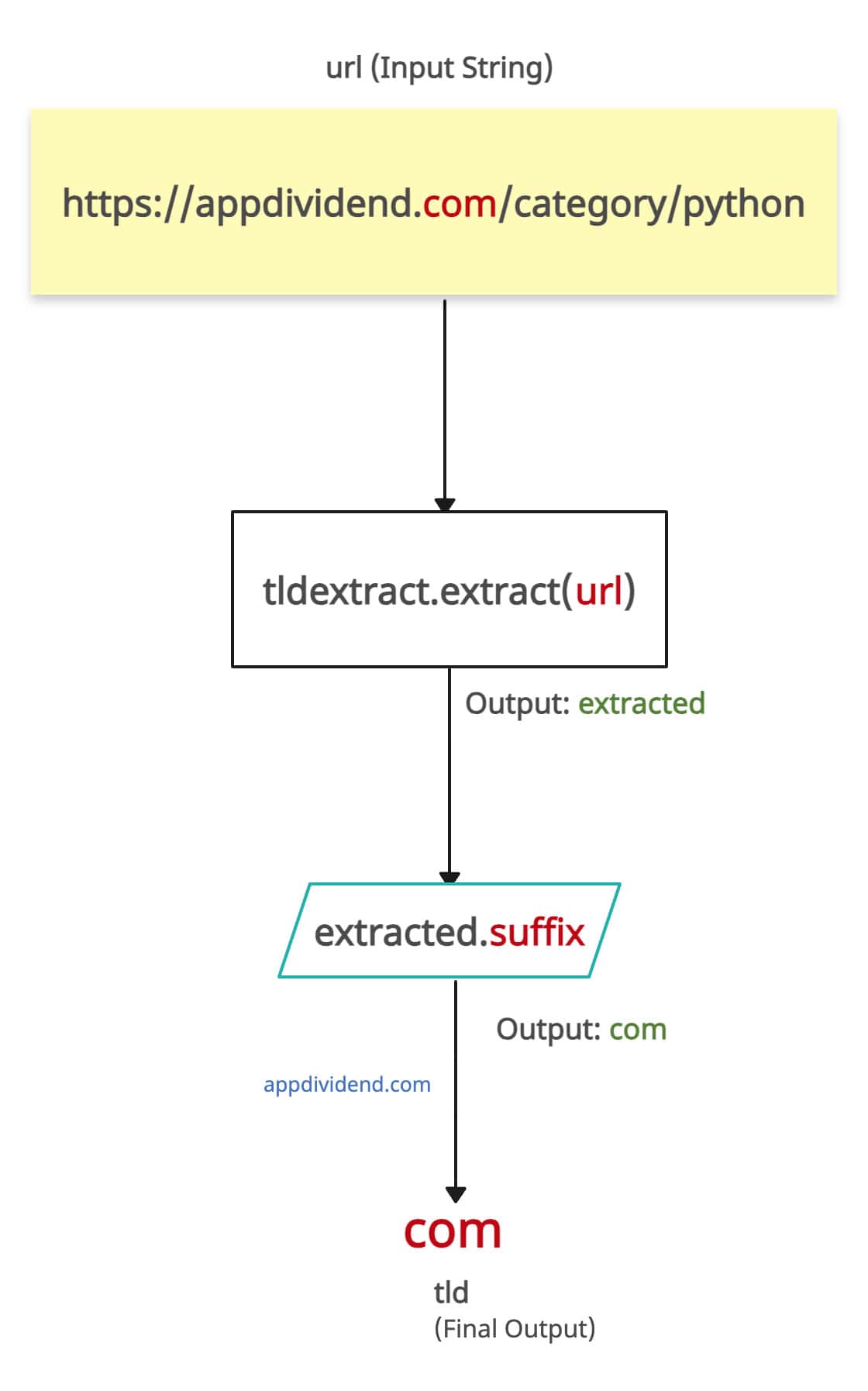
The above figure shows what a TLD is in a URL.
TLD extraction enables grouping and analysis of traffic sources by domain type or country of origin in software like Google Analytics. So, there are many use cases. But the question is, how to do it?
Here are three ways to extract the top-level domain (TLD) from a URL in Python:
- Using the tldextract library
- Using the urllib.parse module
- Using a regular expression
Method 1: Using the tldextract library
The tldextract.extract() method parses URL and TLD extraction.
Install the tldextract module first.
pip install tldextract
Import the library and use its method like this:
import tldextract


def extract_tld(url):
    extracted = tldextract.extract(url)
    return extracted.suffix


# Usage
url = "https://appdividend.com/category/python"
tld = extract_tld(url)
print(f"The TLD is: {tld}")
Output
The TLD is: com
It provides an accurate output and works well with multi-level domain-like (.co.uk, .co.in) and complex domains. That is why I highly recommend this approach.
import tldextract


def extract_tld(url):
    extracted = tldextract.extract(url)
    return extracted.suffix


# Usage
url = "https://sprintchase.co.uk/"
tld = extract_tld(url)
print(f"The TLD is: {tld}")
Output
The TLD is: co.uk
The tldextract library uses Mozilla’s “public suffix list”, which regularly updates with the latest TLD information and handles edge cases very well. However, you need to install the library first. So, external dependency is there for this operation.
It has O(1) space complexity regardless of input size and time complexity of O(n), where n is the length of the URL string.
Method 2: Using urllib.parse module
The urllib.parse module provides “urlparse()” method that you can use to parse the URL and extract the domain. In the next step, we can split the domain and take the last part as the TLD. It is a built-in module, so it does not require additional library installation.

from urllib.parse import urlparse


def extract_tld(url):
    parsed_url = urlparse(url)
    domain = parsed_url.netloc
    tld = domain.split('.')[-1]
    return tld


# Usage
url = "https://sprintchase.com"
tld = extract_tld(url)
print(f"The TLD is: {tld}")
Output
The TLD is: com
The big disadvantage of this approach is that it does not work well with multi-level domains. For example, if you pass “https://sprintchase.co.uk”, it will return “.uk” and not “.co.uk”.
from urllib.parse import urlparse


def extract_tld(url):
    parsed_url = urlparse(url)
    domain = parsed_url.netloc
    tld = domain.split('.')[-1]
    return tld


# Usage
url = "https://sprintchase.co.uk"
tld = extract_tld(url)
print(f"The TLD is: {tld}")
Output
The TLD is: uk
This method is simple and fast but not accurate.
Method 3: Using regular expression
When you want to find a specific substring from a string or URL, regular expressions are always at your disposal. This approach will always help you to get what you need from a text.
Python’s “re” module provides “re.search()” method that tries to match the pattern in the URL and if it finds then we will extract the last substring after the “.”(dot) from the match and return it to the user.
import re


def extract_tld_re(url):
    pattern = r'(?:https?:\/\/)?(?:[^@\n]+@)?(?:www\.)?([^:\/\n]+)\.([^:\/\n]+)'
    match = re.search(pattern, url)
    if match:
        return match.group(2)
    return None


# Usage
url = "https://sprintchase.com"
tld = extract_tld_re(url)
print(f"The TLD is: {tld}")
Output
The TLD is: com
This approach is customizable and you can create any type of pattern you want. However, it requires a good understanding of how regular expressions work and this approach does not work with multi-level domains like .co.uk.
import re


def extract_tld_re(url):
    pattern = r'(?:https?:\/\/)?(?:[^@\n]+@)?(?:www\.)?([^:\/\n]+)\.([^:\/\n]+)'
    match = re.search(pattern, url)
    if match:
        return match.group(2)
    return None


# Usage
url = "https://sprintchase.co.uk"
tld = extract_tld_re(url)
print(f"The TLD is: {tld}")
Output
The TLD is: uk
The output should be “.co.uk” but it returns “.uk” which is incorrect!
You can optimize the performance of Regular Expressions by using techniques like lazy quantifiers and atomic grouping.
Space Complexity: O(1) – The space used is constant regardless of input size.
Time Complexity: O(n) – Where n is the length of the input URL string.
That’s all!

