

Python string is a unicode sequence representing text, while bytes are immutable sequences of raw 8-bit values (0-255) representing binary data.
You can use either the str.encode() method or the bytes() constructor to convert a string to bytes. These are two main ways, and both accept an encoding (default: ‘utf-8’) and errors (default: ‘strict’) parameter.
Method 1: Using str.encode()
The most common method for converting a string to bytes is to use the str.encode() method and specify the desired encoding, with UTF-8 being the most common.
You can replace ‘utf-8’ with another encoding if necessary, but ‘utf-8’ is the standard as it supports a wide range of characters.
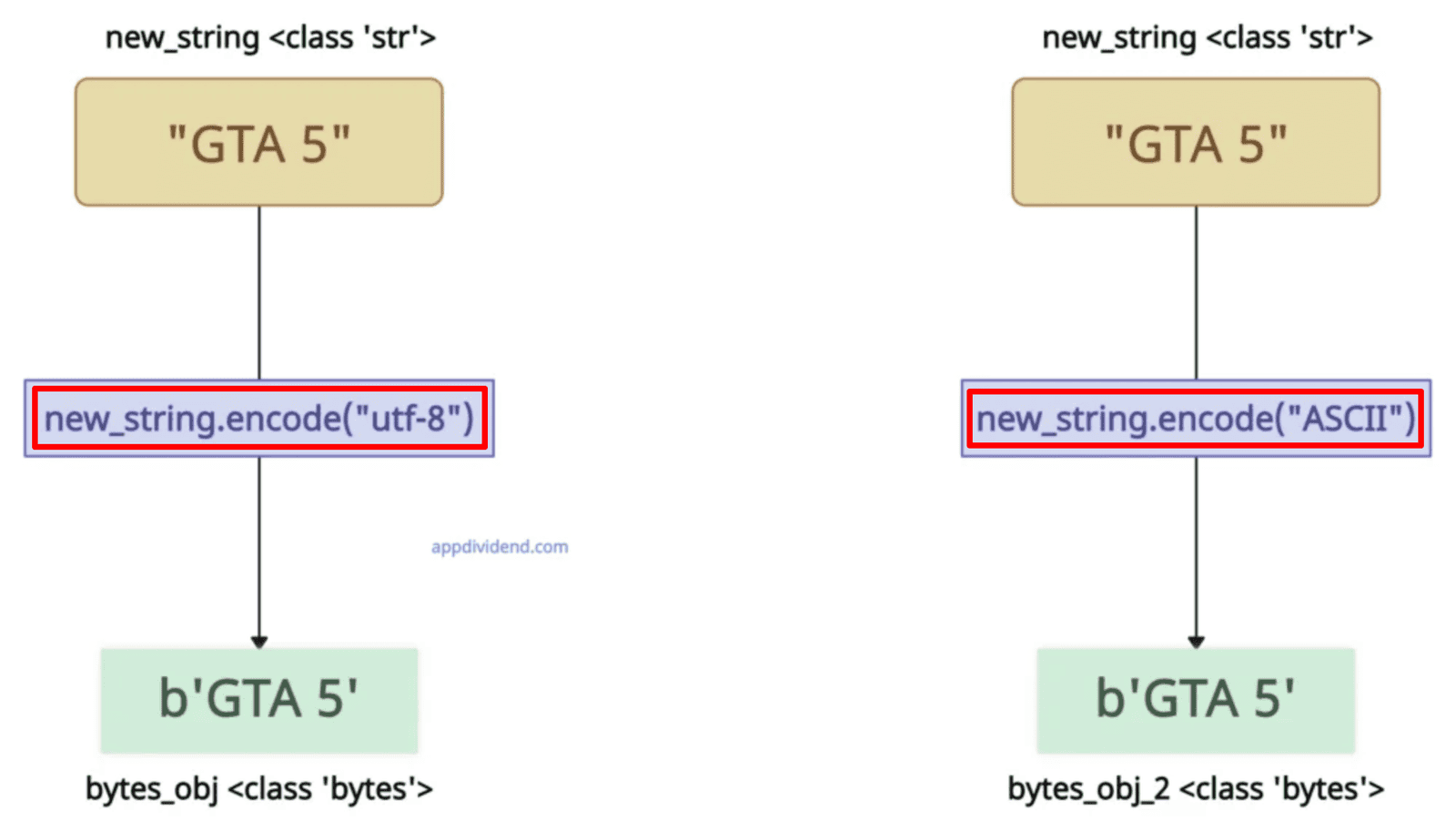
new_string = "GTA 5"

print(new_string)
# Output: GTA 5

print(type(new_string), '\n')
# Output: <class 'str'>

# String with encoding "UTF-8"
bytes_obj = new_string.encode("utf-8")

print(bytes_obj)
# Output: b'GTA 5'

print(type(bytes_obj), '\n')
# Output: <class 'bytes'>

# String with encoding "ASCII"
bytes_obj_2 = new_string.encode("ASCII")

print(bytes_obj_2)
# Output: b'GTA 5'

print(type(bytes_obj_2))
# Output: <class 'bytes'>
The b prefix suggests that the output is a bytes object.
The output bytes are immutable, and you can only perform modifications by creating new objects. If you modify the existing object, it will throw this error: TypeError: ‘bytes’ object does not support item assignment
# String with encoding "UTF-8"
bytes_obj = new_string.encode("utf-8")

print(bytes_obj)
# Output: b'GTA 5'

bytes_obj[0] = 71

# Output: TypeError: 'bytes' object does not support item assignment
“errors” argument
The “errors” argument controls how unencodable characters are handled. If it is ‘strict’ (default), it raises UnicodeEncodeError on failure.
new_string = "Café"

print(new_string)
# Output: Café

print(type(new_string))
# Output: <class 'str'>

try:
    # 'é' (U+00E9) can't be encoded in ASCII
    bytes_obj = new_string.encode('ascii')
except UnicodeEncodeError as e:
    print(e)

print(bytes_obj)
# 'ascii' codec can't encode character '\xe9' in position 3: ordinal not in range(128)
We handle the error using the try/except mechanism.
Empty string
If the input string is empty, the output bytes will be empty too, and you can verify it is empty by measuring its length using the built-in len() method.
empty_str = ""

byte_str = empty_str.encode('utf-8')

print(byte_str)
# Output: b''

print(len(byte_str))
# Output: 0
It won’t throw any error, and you can see that the byte object’s length is 0, which means it is empty.
Non-ASCII characters
The encode() method correctly handles non-ASCII characters and returns the output without any errors.
japanese_hello = "こんにちは"  # Japanese: Hello

bytes = japanese_hello.encode('utf-8')

print(bytes)

# Output: b'\xe3\x81\x93\xe3\x82\x93\xe3\x81\xab\xe3\x81\xa1\xe3\x81\xaf'
Method 2: Using the bytes() constructor
The bytes() constructor takes the string and the encoding as arguments and returns a bytes object.
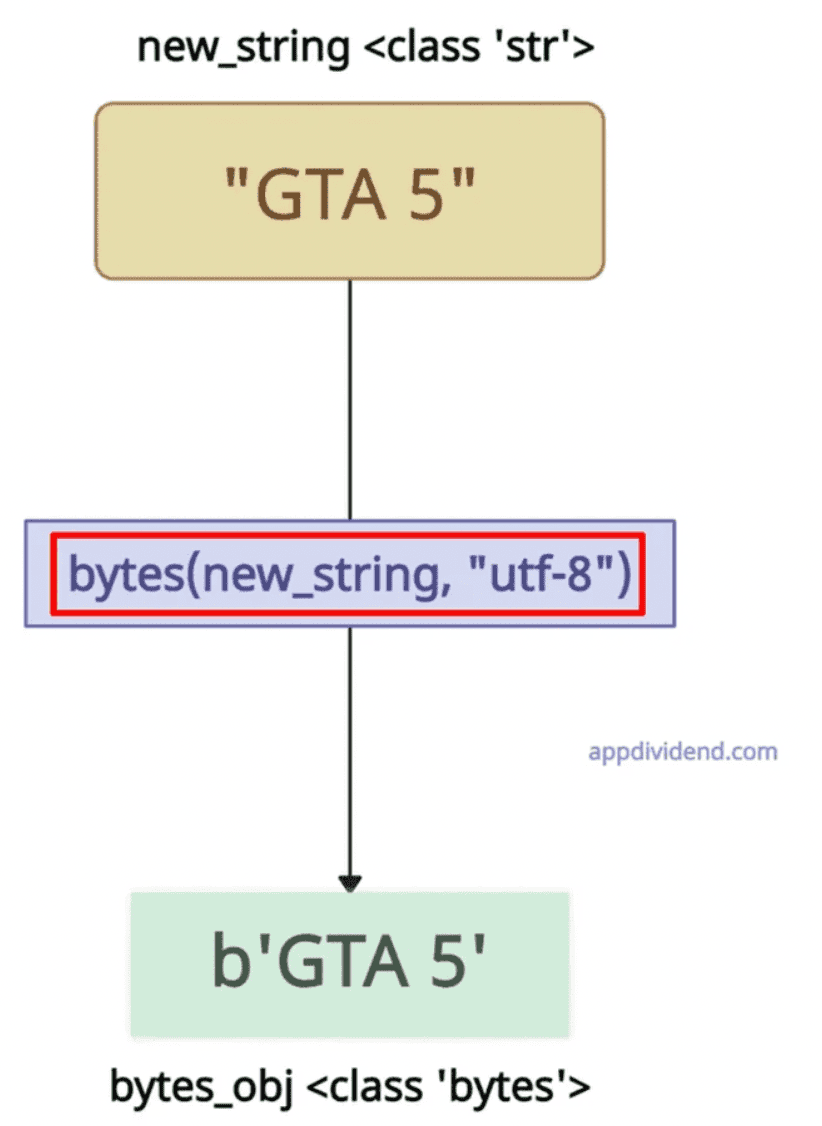
new_string = "GTA 5"

print(new_string)
# Output: GTA 5

print(type(new_string))
# Output: <class 'str'>

# String with encoding "UTF-8"
bytes_obj = bytes(new_string, "utf-8")

print(bytes_obj)
# Output: b'GTA 5'

print(type(bytes_obj))
# Output: <class 'bytes'>
With other encoding
We can pass the ‘latin-1’ as an encoding argument to get the different byte outputs based on the requirement.
new_string = "Café"

print(new_string)
# Output: Café

print(type(new_string))
# Output: <class 'str'>

# String with encoding "UTF-8"
bytes_obj = bytes(new_string, 'latin-1')

print(bytes_obj)
# Output: b'Caf\xe9'

print(type(bytes_obj))
# Output: <class 'bytes'>
Method 3: Using bytearray() constructor
The bytearray() constructor accepts a string and converts it to a mutable sequence of bytes using the specified encoding, like “utf-8”.
Both bytes() and bytearray() represent binary data (a sequence of bytes). The bytearray() constructor wraps that data in a mutable container.
new_string = "Dam Capital"

print(new_string)
# Output: Dam Capital

print(type(new_string))
# Output: <class 'str'>

bytes = bytearray(new_string, "utf-8")

print(bytes)
# Output: bytearray(b'Dam Capital')
The main difference between bytes() and bytearray() is that bytearray() allows the byte data to be modified later, whereas bytes() is an immutable object.
Let’s change the byte data after the conversion.
new_string = "Dam Capital"

print(new_string)
# Output: Dam Capital

print(type(new_string))
# Output: <class 'str'>

bytes = bytearray(new_string, "utf-8")

print(bytes)
# Output: bytearray(b'Dam Capital')

bytes[0] = ord('H')  # Change 'D' to 'H'

print(bytes)
# Output: bytearray(b'Ham Capital')

print(bytes.decode())
# Output: Ham Capital
In this code, we changed the bytes from “b’Dam”‘s “D” to “H”, and hence the output will now be “b’Ham Capital”.
Since it has been successfully modified, we can prove that bytearray() can be modified at a later stage of the program.

