

To check if a variable exists in Python, you can use scope-specific dictionaries (locals(), globals(), vars()) or exception handling (try/except).
Method 1: Using try-except Block

The try/except mechanism attempts to access the variable and catches a NameError if it doesn’t exist.
It is a robust approach that works reliably with all cases, including local, global, and non-local variables.
If it exists, we set our flag variable to True; otherwise, we set it to False.
try:
    print(main_var)
    exists = True
except NameError:
    exists = False
print("Variable exists:", exists)

# Output: Variable exists: False


# Define variable and retry
main_var = 19
try:
    print(main_var)
    exists = True
except NameError:
    exists = False
print("Variable exists:", exists)

# Output: Variable exists: True
It is a general-purpose checking, especially in dynamic or unpredictable environments.
Method 2: Using locals() for local scope
The locals() function returns a dictionary containing the variables defined in the local scope.
If you define a variable inside a function or block scope, it automatically becomes a local variable.
Using the in operator, we need to check if a key exists in the locals() dictionary. With the help of an if condition, it returns True if the variable exists and False otherwise.

my_variable = 19

if 'my_variable' in locals():
  print(True)
else:
  print(False)

# Output: True
In this code, we created a custom function that checks a variable within the local scope. Since we get the output True, the variable exists in the local dict (scope).
What if we pass a variable name that does not exist in the local scope? Let’s find out.
if 'my_variable' in locals():
    print(True)
else:
    print(False)

# Output: False
We received the output False, which indicates that the variable does not exist.
Method 3: Using globals()
The globals() is a built-in function that returns the dictionary of the current global symbol table.
If you define a variable outside a function or block scope, it automatically becomes a global variable.
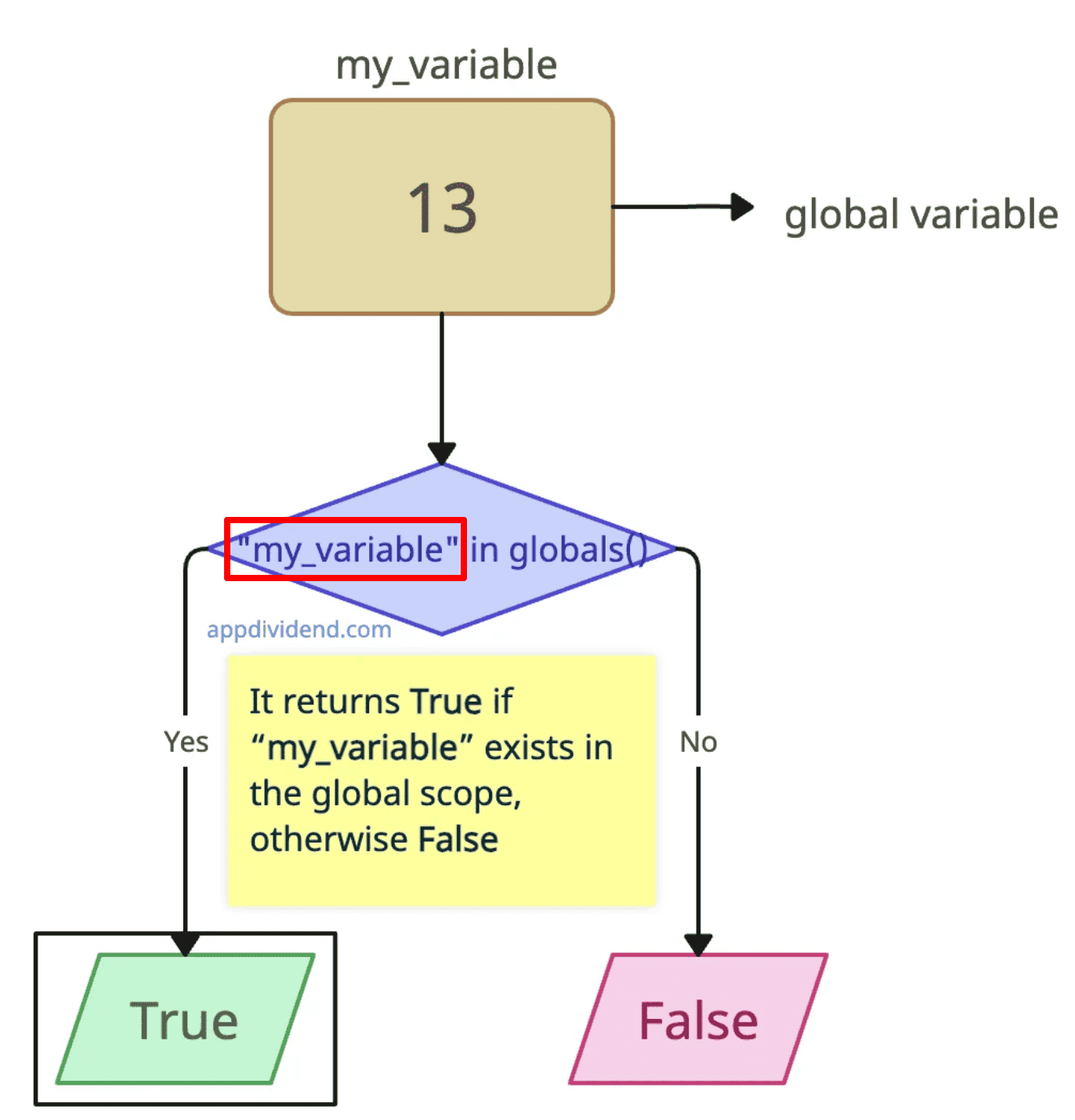
Using the ‘in’ operator, the ‘if’ condition, and the ‘globals()‘ function, we can check for a specific condition.
If the condition returns True, it means the variable exists in the global scope; otherwise, we get the output False.
# Define a global variable
my_variable = 13


def check_variable_existence_global():

    if "my_variable" in globals():
        print(True)
    else:
        print(False)


# Call the function
check_variable_existence_global()

# Output: True
In the above code, we defined a variable, my_variable, outside a functional scope, which places it in the global scope. Since the output is True, the variable exists.
Let’s check if for an undefined variable.
def check_variable_existence_global():

    my_variable = 13

    if "my_variable" in globals():
        print(True)
    else:
        print(False)


# Call the function
check_variable_existence_global()

# Output: False
As expected, we got the False output. It is a direct approach for checking global scopes.
That’s all!


Esportaren
Thanks for this! I will give that a ago , hopefully my REST endpoint which relies on a global variable being a certain value wont return a 500 if the variable doesnt exist.