

Let’s say you are working on a monthly subscription-based application, and when a user subscribes, you need to add a monthly payment cycle. So, from the current date, you need to add either 30 or 31 days for a monthly recurring payment. That is the most significant use case for adding and subtracting days.
The most efficient and cleanest way to add and subtract days from a date in Python is to use the datetime.timedelta() method. The input should be either a date or a datetime object for the addition or subtraction.
Adding days
Take a specific date and add 7 days to that date using the “+” operator. The timedelta() method accepts “days” as an argument, in which you can pass the number of days to subtract.

The input must be either a date or a datetime object.
from datetime import datetime, timedelta

# Creating a date object for December 9, 2025
date = datetime(2025, 12, 9)

# Adding 7 days to the date
future_date = date + timedelta(days=7)

print(future_date)
# Output: 2025-12-16 00:00:00
In this code, we added 7 days from 9 Dec 2025. So, the future date is 16 Dec 2025.
Subtracting days
Take a specific date and subtract 1 day from it using the “-“ operator.

from datetime import datetime, timedelta

specific_date = datetime(2025, 12, 6)
# Subtracting a single day from a specific date
past_day = specific_date - timedelta(days=1)

print(past_day)

# 2025-12-05 00:00:00
In this code, we defined a specific date, 6 Dec 2025, and plan to subtract 1 day from it. The output is obviously 5th Dec 2025.
Handling a leap year
Addition

The datetime.timedelta() method automatically handles the leap year.
from datetime import datetime, timedelta

# Leap year handling
leap_date = datetime(2024, 2, 28)

# Add one day
output_date = leap_date + timedelta(days=1)

print(output_date)
# Output: 2024-02-29 00:00:00

not_leap_date = datetime(2023, 2, 28)

# Add one day
output_date_non_leap = not_leap_date + timedelta(days=1)

print(output_date_non_leap)
# Output: 2023-03-01 00:00:00
The year 2024 was a leap year. So, it added 1 day to 28 and returns 29 Feb. But 2023 was not a leap year. So, if you add 1 day to 28, it will return 1st March. Because then it would be only 28 days in that month.
Subtraction
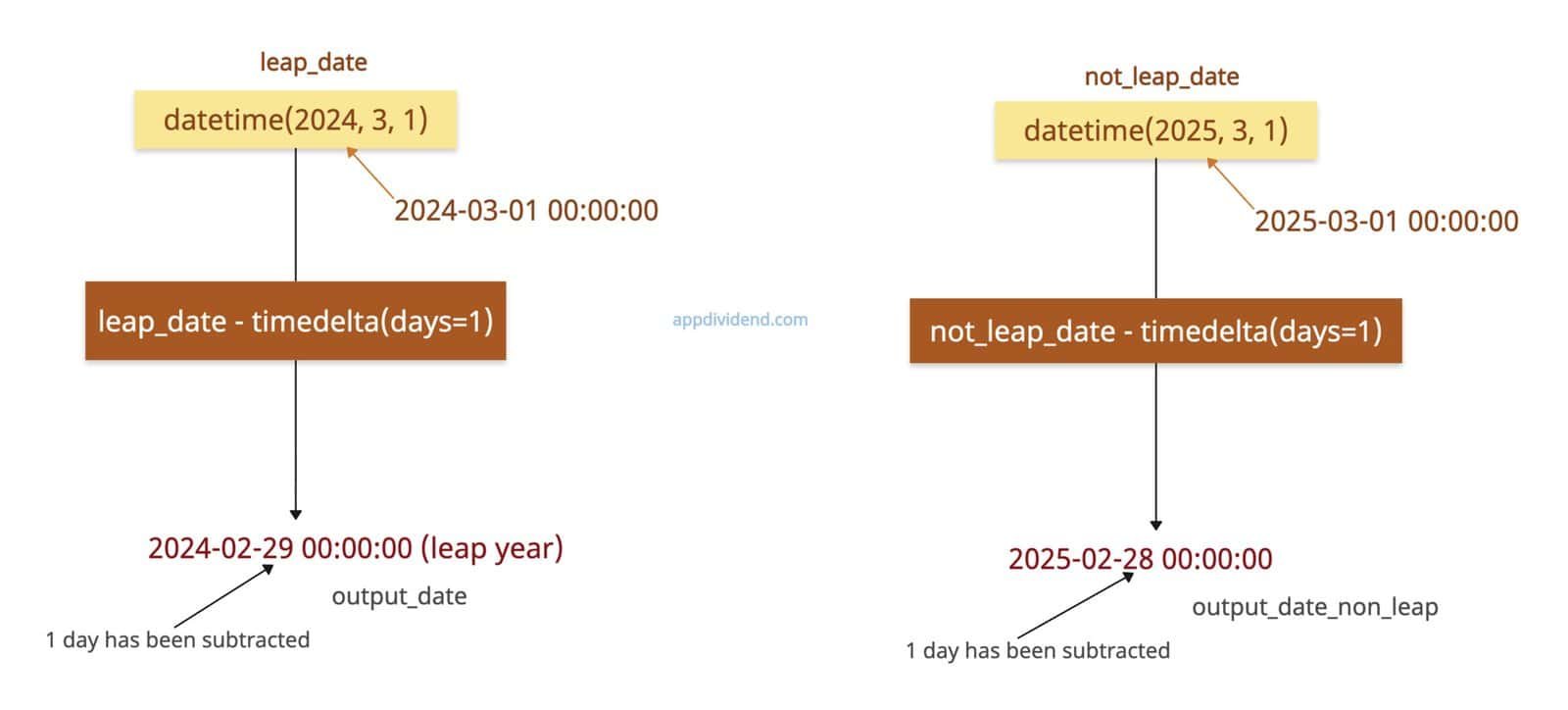
from datetime import datetime, timedelta

# Leap year handling
leap_date = datetime(2024, 3, 1)

# Subtract one day
output_date = leap_date - timedelta(days=1)

print(output_date)
# Output: 2024-02-29 00:00:00 (leap year)

not_leap_date = datetime(2025, 3, 1)

# Subtracting one day
output_date_non_leap = not_leap_date - timedelta(days=1)

print(output_date_non_leap)
# Output: 2025-02-28 00:00:00
2024 was a leap year. So, if you subtract 1 day from 1st Match 2024, it will return 29th Feb 2024.
Combining with hours, minutes
Addition
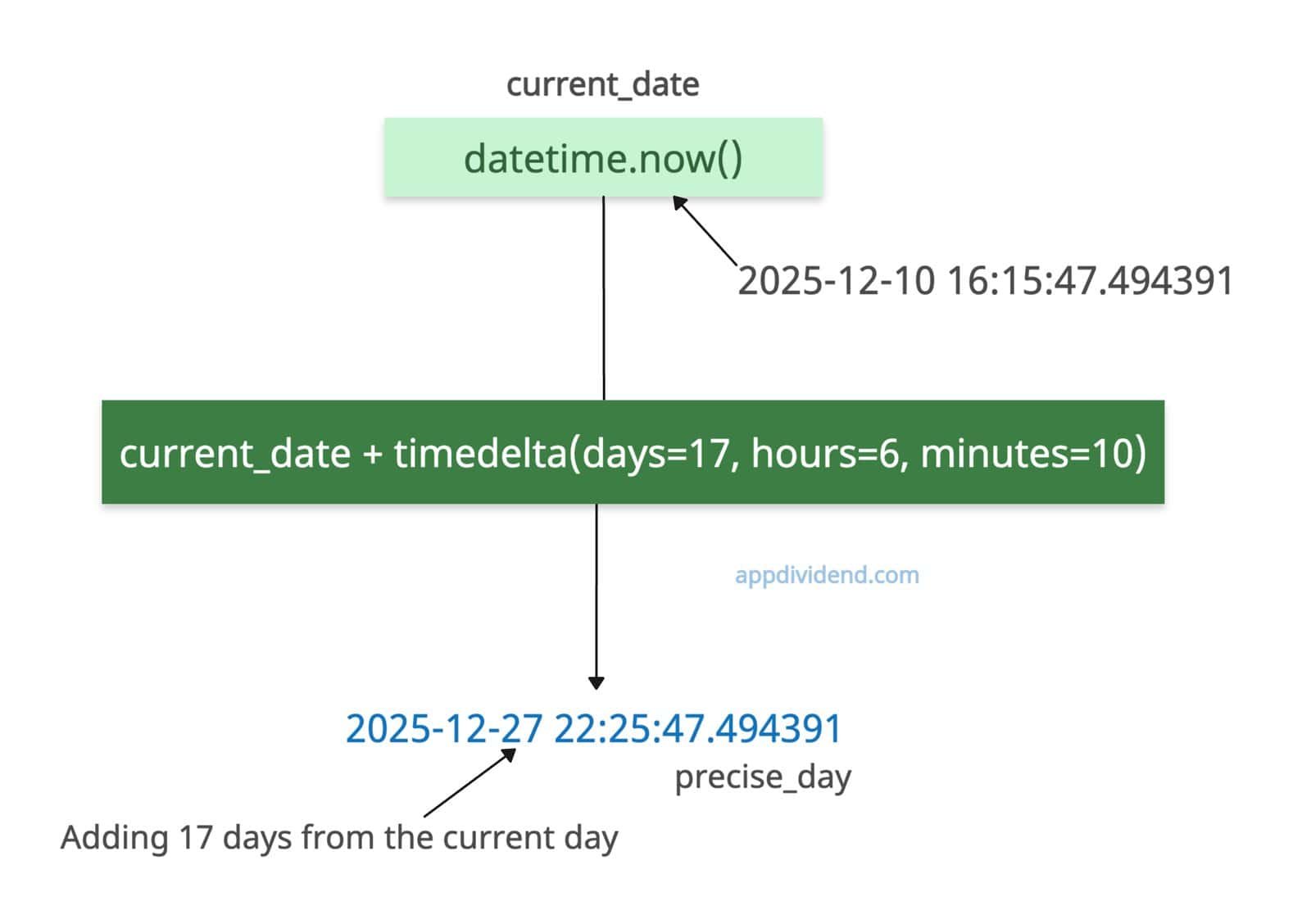
What if you want to add hours and minutes while adding days? In that case, pass the hours and minutes arguments to the datetime.timedelta() method.
You can get the current datetime object by using datetime.now() method.
from datetime import timedelta, datetime

# Current date
current_date = datetime.now()

print(current_date)
# Output: 2025-12-10 16:15:47.494391

precise_day = current_date + timedelta(days=17, hours=6, minutes=10)

print(precise_day)

# Output: 2025-12-27 22:25:47.494391
In this code, we add 17 days to today’s date, with precision to 6 hours and 10 minutes.
Subtraction
from datetime import timedelta, datetime

# Current date
current_date = datetime.now()

print(current_date)
# Output: 2025-12-10 16:17:15.597314

precise_day = current_date - timedelta(days=9, hours=6, minutes=10)

print(precise_day)

# Output: 2025-12-01 10:07:15.597314
Fractional days
Addition
If you pass the day as a fraction, such as 5.5, it will count as 5 days and 12 hours.
from datetime import timedelta, datetime

# Specific date
date = datetime(2025, 12, 27)

print(date)
# Output: 2025-12-27 00:00:00

half_day = date + timedelta(days=5.5)

print(half_day)
# Output: 2026-01-01 12:00:00
The output date is half_day, and its value is 2026-01-01 12:00:00, meaning half a day of 1st Jan 2026.
Subtraction
If you pass the day as a fraction, such as 5.5, it will be counted as 5 days and 12 hours, and then subtracted from the provided date.
from datetime import timedelta, datetime

# Specific date
date = datetime(2025, 12, 27)

print(date)
# Output: 2025-12-27 00:00:00

prev_half_day = date - timedelta(days=5.5)

print(prev_half_day)
# Output: 2025-12-21 12:00:00
Working with a date string
What if our input is a date string instead of an object? In that case, we first need to convert a string to a datetime object using the strptime() method and then apply the timedelta() function.
from datetime import timedelta, datetime

# Specific date as a string
date_string = "2025-12-27"

# Convert string to datetime object
date = datetime.strptime(date_string, "%Y-%m-%d")

print(date)
# Output: 2025-12-27 00:00:00

# Adding 7 days to the datetime object
future_date = date + timedelta(days=7)
print(future_date)
# Output: 2026-01-03 00:00:00

# Subtracting 1 day from the datetime object
previous_day = date - timedelta(days=1)
print(previous_day)
# Output: 2025-12-26 00:00:00
Alternate approach: Using dateutil.relativedelta()
The disadvantage of datetime.timedelta() is that it only understands “days” arguments and cannot handle “months” or “years” because they have variable lengths. And that’s where dateutil.relativedelta() solves this problem.
Addition
The relativedelta() function handles more complex additions such as “add 1 month and 10 days”, rather than a fixed number of days (which varies between 28, 30, or 31).
It is a calendar-specific approach that is particularly helpful for developing business applications where Month/year arithmetic is essential.
from dateutil.relativedelta import relativedelta
from datetime import date

dt = date(2025, 1, 31)

print(dt + relativedelta(months=1))

# Output: 2025-02-28 (not March 3!)
Complex combinations
Let’s add days to the combination of days, months, and years.
from dateutil.relativedelta import relativedelta
from datetime import date

dt = date(2025, 12, 10)

print(dt + relativedelta(days=10, months=2, years=1))

# Output: 2027-02-20
From 10 Dec 2025, we added a whole year, then 2 months, and then 10 days, which returns 20 Feb 2027.
Subtraction
from dateutil.relativedelta import relativedelta
from datetime import date

dt = date(2025, 12, 31)

print(dt - relativedelta(months=1))

# Output: 2025-11-30
You can see that we directly subtracted 31 days by passing months=1 as arguments from the specified date.
Complex combinations
from dateutil.relativedelta import relativedelta
from datetime import date

dt = date(2025, 12, 10)

print(dt - relativedelta(days=10, months=2, years=1))

# Output: 2024-09-30
From 10 Dec 2025, we subtracted a whole year, then 2 months, and then 10 days, which returns 30 Sep 2024.
That’s all!

