

The easiest and most straightforward way to append a new row to an empty numpy array is to use the “numpy.append()” method. It accepts an empty array and the array to be appended and returns the new array with the appended row.
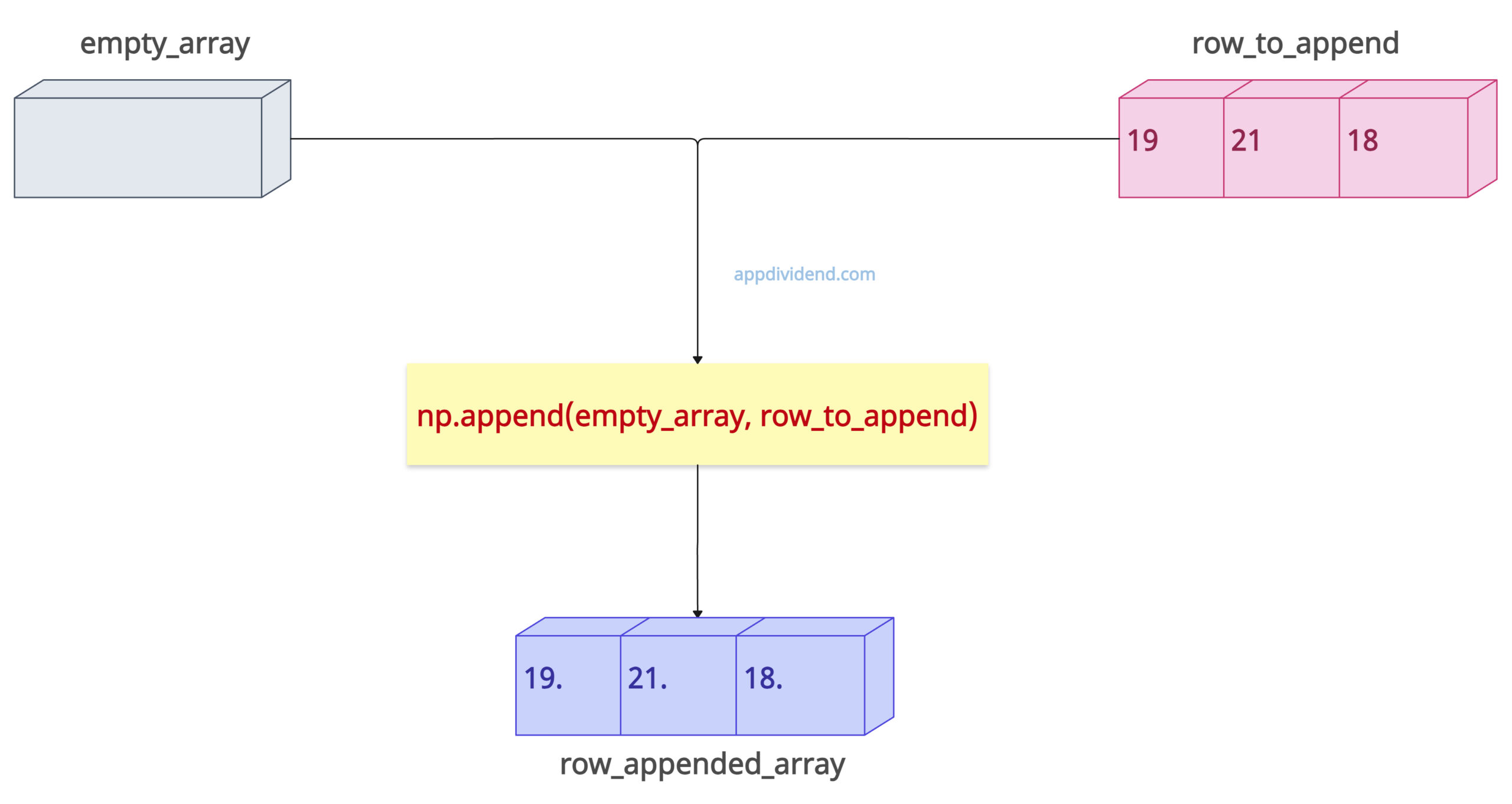
If you don’t know the full size of your data but need to add data incrementally, you can add rows to the array to accumulate these results. This allows you to build an array structure dynamically.
Here is the step-by-step guide:
Step 1: Import numpy
Before importing numpy, we need to install the library using the command below:
pip install numpy
Now, import the numpy library:
import numpy as np
Step 2: Creating an empty array
You can use the np.array([]) snippet to create an empty numpy array. This will be the array to which we append a new row.
empty_array = np.array([])
Step 3: Create the row (array) you want to append
Let’s define a row (an array with values) that will be appended to the empty array.
row_to_append = np.array([19, 21, 18])
Step 4: Appending the array
With the help of the np.append() function, we can now append a row_to_append to empty_array.
row_appended_array = np.append(empty_array, row_to_append)
The final code looks like the following:
import numpy as np

empty_array = np.array([])

row_to_append = np.array([19, 21, 18])

row_appended_array = np.append(empty_array, row_to_append)

print(row_appended_array)

# Output: [19. 21. 18.]
If you are performing a lot of appending, the np.append() method is inefficient because it returns a new array each time it is called.
If the empty_array and row_to_append have different data types, NumPy will upcast to the most general type to accommodate both.
Using Python list over Numpy array
If you are looking for efficient appending, consider Python lists, append elements there, and, in the end, convert it to a numpy array.
import numpy as np

data = []
for i in range(10):
    data.append([i, i*2])

final_array = np.array(data)
print(final_array)
Output
[[ 0  0]
 [ 1  2]
 [ 2  4]
 [ 3  6]
 [ 4  8]
 [ 5 10]
 [ 6 12]
 [ 7 14]
 [ 8 16]
 [ 9 18]]
If you are working with a multi-dimensional array, you can use the “axis” argument of the np.append() function.
This approach is highly recommended for appending elements frequently because it saves time.

