
Finding the last day of a month is essential for date-range queries, billing cycles, financial calculations (e.g., end-of-month balances), data aggregation, and scheduling tasks that run on month boundaries.
Method 1: Using a calendar.monthrange() (Most Efficient)
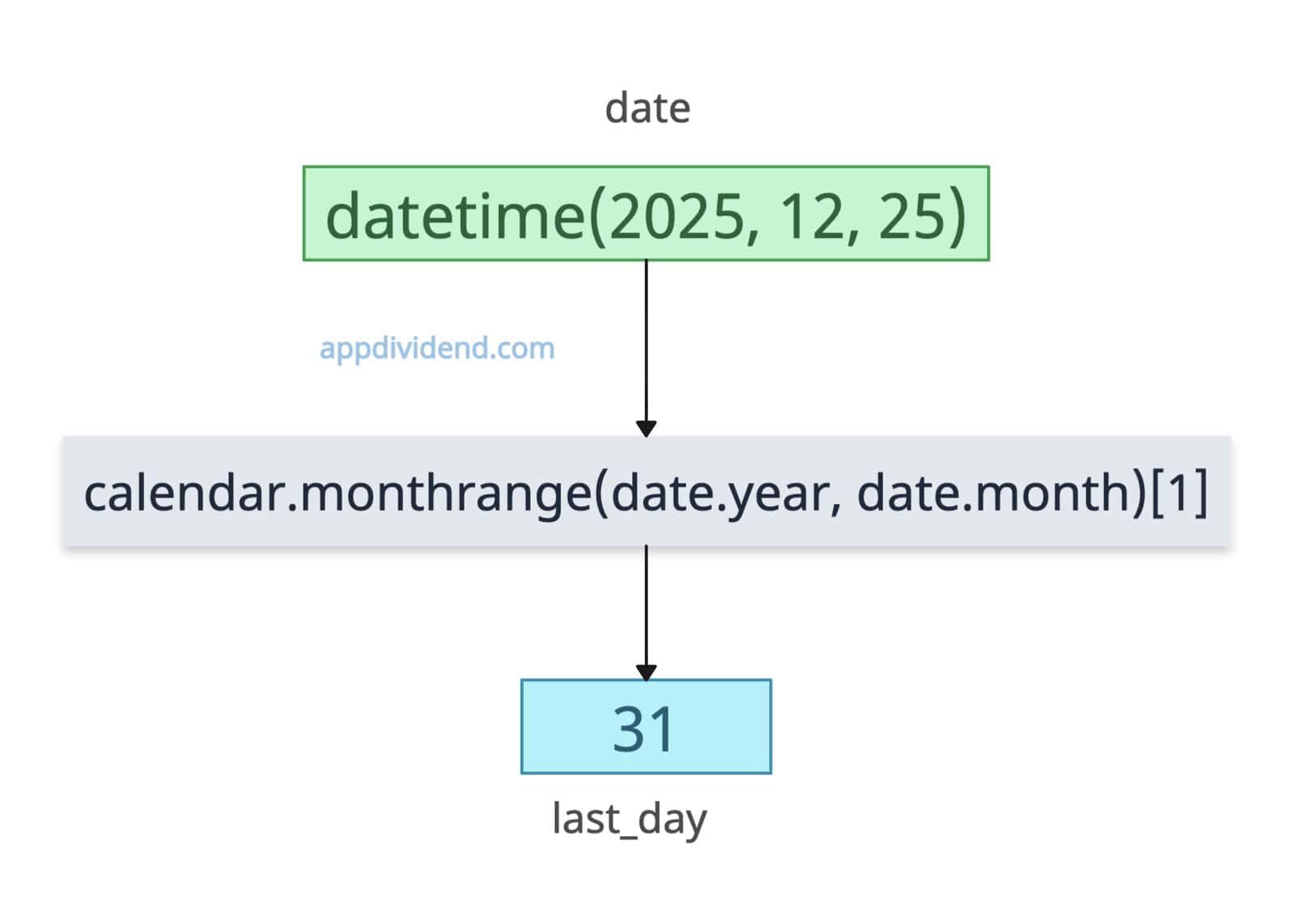 The most efficient way to get the last day of the month in Python is to use the calendar.monthrange() function.
The calendar is a built-in module, and its monthrange() method accepts two arguments: year and month, and returns a tuple containing (weekday of first day, number of days in month).
Since we are just interested in the last day, we need to use indexing to get that specific data. We only need the second element.
import calendar
from datetime import datetime

date = datetime(2025, 12, 25)
last_day = calendar.monthrange(date.year, date.month)[1]

print(last_day)
# Output: 31

# Get the full date
last_date = datetime(date.year, date.month, last_day)

print(last_date)
# Output: 2025-12-31 00:00:00
In this code, we are trying to fetch the last day of December 2025; last_day is 31, and we printed the date.
Leap year
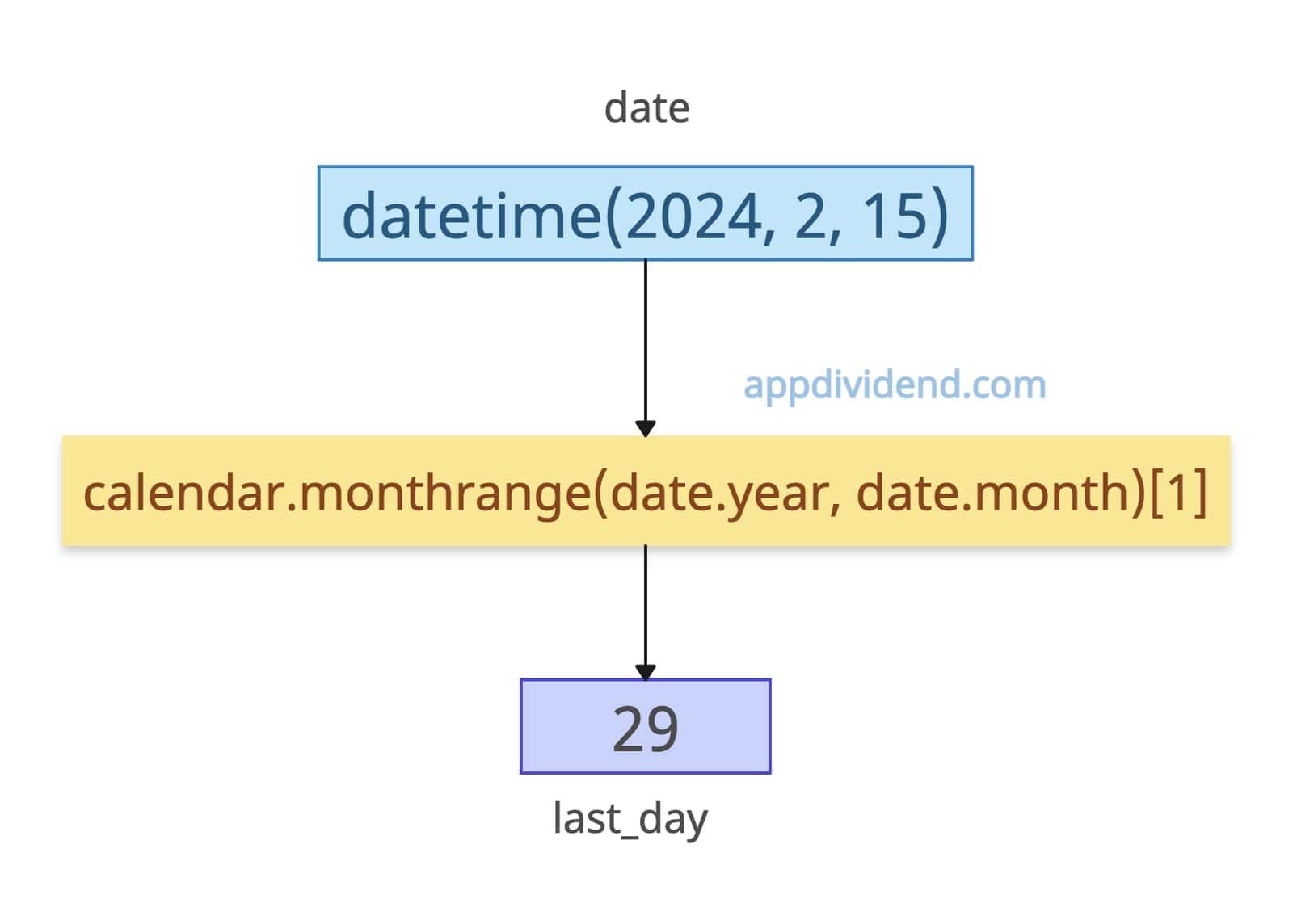
The main advantage of the calendar approach is that it automatically calculates leap years and does not require special logic. When performance matters in a large dataset, this is efficient.
import calendar
from datetime import datetime

date = datetime(2024, 2, 15)
last_day = calendar.monthrange(date.year, date.month)[1]

print(last_day)
# Output: 29 (2024 is a leap year)

# Get the full date
last_date = datetime(date.year, date.month, last_day)

print(last_date)
# Output: 2024-02-29 00:00:00
Method 2: Using the dateutil module with replace()
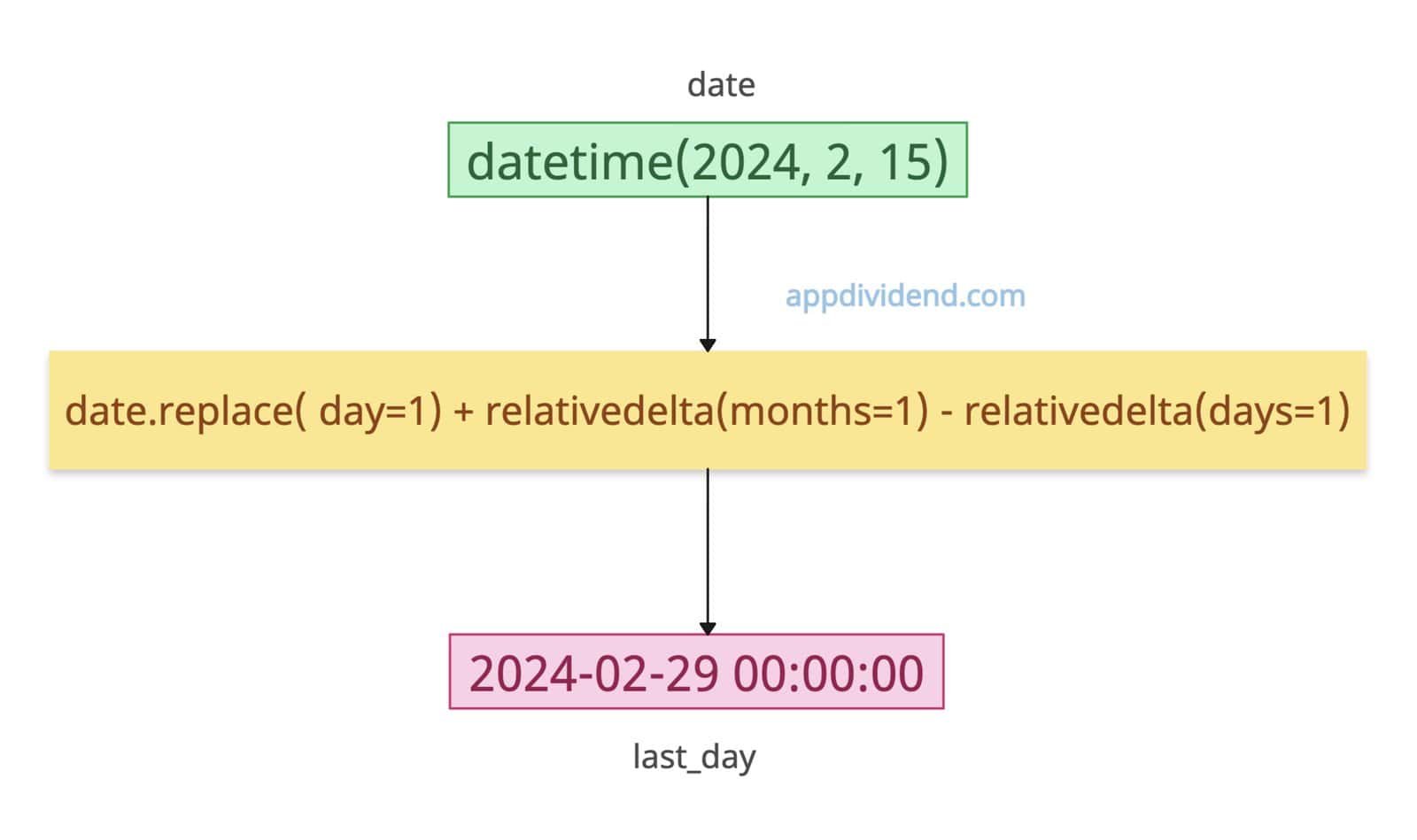
If you are working with complex date arithmetic, readability is paramount; use the dateutil.relativedelta function with replace() function.
from datetime import datetime
from dateutil.relativedelta import relativedelta

date = datetime(2024, 2, 15)

# Add one month, then subtract to first day, then subtract one day
last_date = date.replace(
    day=1) + relativedelta(months=1) - relativedelta(days=1)

print(last_date)
# Output: 2024-02-29 00:00:00

last_day = last_date.day

print(last_day)
# Output: 29
Here, in the output, last_date. It is in terms of date and not a day like just 29.
To extract the day from last_date, use the .day attribute; you will get the last day, which is 29.
Method 3: Using datetime (The Algorithmic Way)
If you want to avoid the calendar module or need to calculate the last day relative to a specific date object you already have, you can use datetime arithmetic.
from datetime import date, timedelta


def get_last_day_of_month(d):

    # First day of next month
    if d.month == 12:
        next_month = date(d.year + 1, 1, 1)
    else:
        next_month = date(d.year, d.month + 1, 1)

    # Last day of current month
    last_day = next_month - timedelta(days=1)
    return last_day.day


def last_days_for_three_dates(d1, d2, d3):
    return (
        get_last_day_of_month(d1),
        get_last_day_of_month(d2),
        get_last_day_of_month(d3)
    )


d1 = date(2025, 2, 10)
d2 = date(2024, 12, 5)
d3 = date(2023, 7, 19)

result = last_days_for_three_dates(d1, d2, d3)

print(result)

# Output:
# (28, 31, 31)
In this approach, we first find the first day of the next month, then subtract one day from it.
The result is always the last date of the original month, automatically handling leap years.
Finally, it returns just the day number (e.g., 28, 30, 31). This is a clean approach that does not hardcode month lengths and works for every month and year.
Method 4: Using Pandas (For data analysis)
If you are working with DataFrames or time-series data, using standard loops is slow. Pandas offers vectorized offsets that are incredibly powerful for bulk operations.
import pandas as pd

dates = pd.Series(['2024-01-15', '2024-02-15', '2024-03-15'])

dates = pd.to_datetime(dates)

last_days = dates + pd.offsets.MonthEnd(0)

print(last_days)

# Output:
# 0   2024-01-31
# 1   2024-02-29
# 2   2024-03-31
That’s all!

