

A datetime has a date + time, and a date has only a date. So, there is a difference. If you want to convert a datetime object to a date object, you need only to extract the date portion (year, month, day) while discarding time information (hours, minutes, seconds, microseconds).
Here are a few ways for the conversion:
Method 1: Using datetime.date()
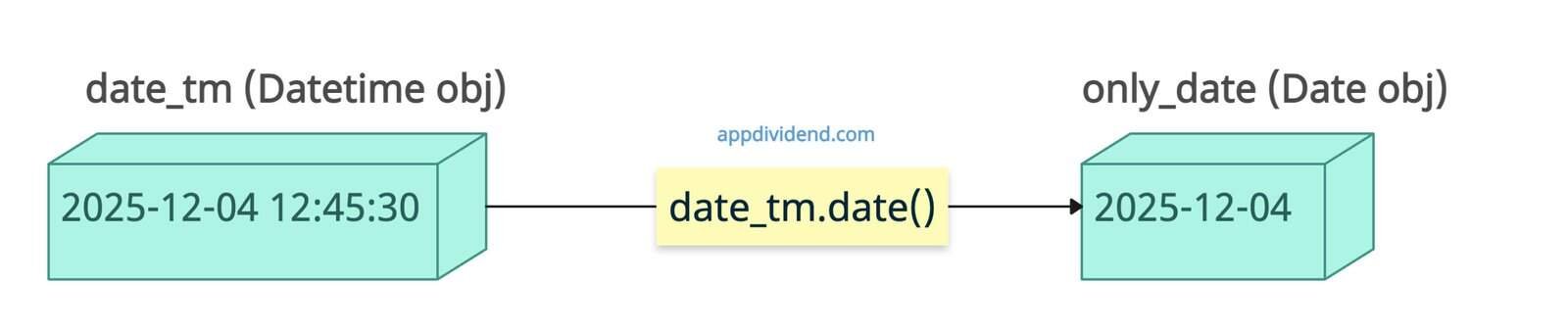
The standard and Pythonic way to convert a datetime to a date is to use the datetime.date() method. It preserves the date object type for further operations.
from datetime import datetime

date_tm = datetime(2025, 12, 4, 12, 45, 30)

print(date_tm)
# Output: 2025-12-04 12:45:30

only_date = date_tm.date()

print(only_date)
# Output: 2025-12-04
In the code above, we created a datetime object by passing different arguments for date and time. Then, we printed it. Remember that, it should be an object, and not a string.
Then we called the .date() method on the date_tm object to extract the date. The final output is a date object, which we printed.
This approach is helpful when you have a datetime object from an APIs or a database, or when parsing a timestamp.
Method 2: String Formatting with strftime()

If you want an output date as a string, you can use the .strftime() method. One advantage is that you can format the string however you want, which is helpful in exporting data in csv or Excel files.
from datetime import datetime

dt = datetime.now()

print(dt)
# Output: 2025-12-04 12:28:29.923455

date_string = dt.strftime('%Y-%m-%d')

print(date_string)
# Output: 2025-12-04 (String representation of the date)
In this code, we get the current datetime using datetime.now() method and then printed it. It is a datetime object, so we can apply the .strftime() method to extract the date as a string.
If you want your output as a date object, you should use the combination of .strptime() and .date() methods.
from datetime import datetime

dt = datetime.now()

print(dt)
# Output: 2025-12-04 12:28:29.923455

date_string = dt.strftime('%Y-%m-%d')

date_obj = datetime.strptime(date_string, '%Y-%m-%d').date()

print(date_obj)
# Output: 2025-12-04 (Date object)
Method 3: Using Pandas for bulk conversions
Install and import the pandas library.
pip install pandas
Then, create a series of timestamp objects using pd.Series() method.
To convert a timestamps object, which contains date and time, to a date, use the .dt.date property to extract the date and print it.
import pandas as pd

# Series of datetimes
timestamps = pd.Series([
    pd.Timestamp('2025-11-27 19:30:45'),
    pd.Timestamp('2025-12-26 14:30:45'),
    pd.Timestamp('2026-01-01 09:15:30')
])

dates = timestamps.dt.date

print(dates)

# Output:
# 0    2025-11-27
# 1    2025-12-26
# 2    2026-01-01
# dtype: object
The output is an object.

