
Skip to content
  • (+91) 9409548155
  • support@appdividend.com
  • Home
  • Pricing
  • Instructor
  • Tutorials
    • Laravel
    • Python
    • React
    • Javascript
    • Angular
  • Become A Tutor
  • About Us
  • Contact Us
Menu
  • Home
  • Pricing
  • Instructor
  • Tutorials
    • Laravel
    • Python
    • React
    • Javascript
    • Angular
  • Become A Tutor
  • About Us
  • Contact Us
  • Home
  • Pricing
  • Instructor
  • Tutorials
    • Laravel
    • Python
    • React
    • Javascript
    • Angular
  • Become A Tutor
  • About Us
  • Contact Us
Python

How to Flush the Output of the print() Function in Python

  • 27 Nov, 2025
  • Com 0
How to Flush the Output of the print() Function in Python

Flushing output forces Python to immediately write text to the console, file, or stream without waiting for the internal buffer to fill. By default, interpreter buffers output, meaning printed text may not appear immediately.

Method 1: Use print(…, flush=True)

The recommended and efficient way to flush the output in Python is to use the print(“…”, flush=True) function. It is a clean and safe approach.

import time

for i in range(5):
    print(f"Step {i}", flush=True)
    time.sleep(1)

# Output:
# Step 0
# Step 1
# Step 2
# Step 3
# Step 4
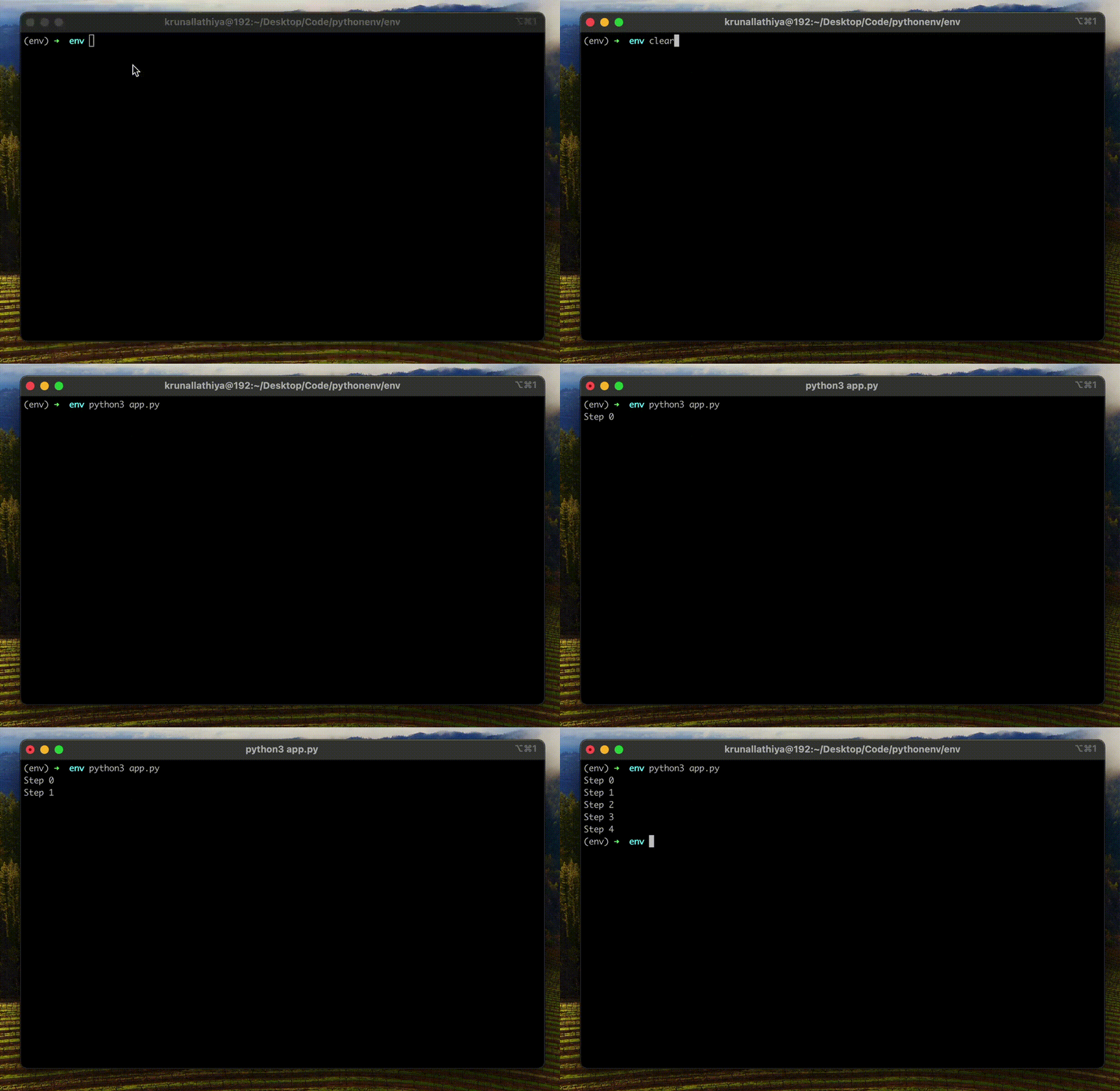
Method 1 - Use print(..., flush=True)

Method 2: Manual flush using sys.stdout.flush()

When you need more control, such as customizing formatting or printing without a newline, you can opt for sys.stdout.flush() method. It is helpful when you want to overwrite the text in place.

import sys
import time

for i in range(6):
    sys.stdout.write(f"\rProgress: {i}/5")
    sys.stdout.flush()
    time.sleep(1)

# Output:
# Progress: 5/5
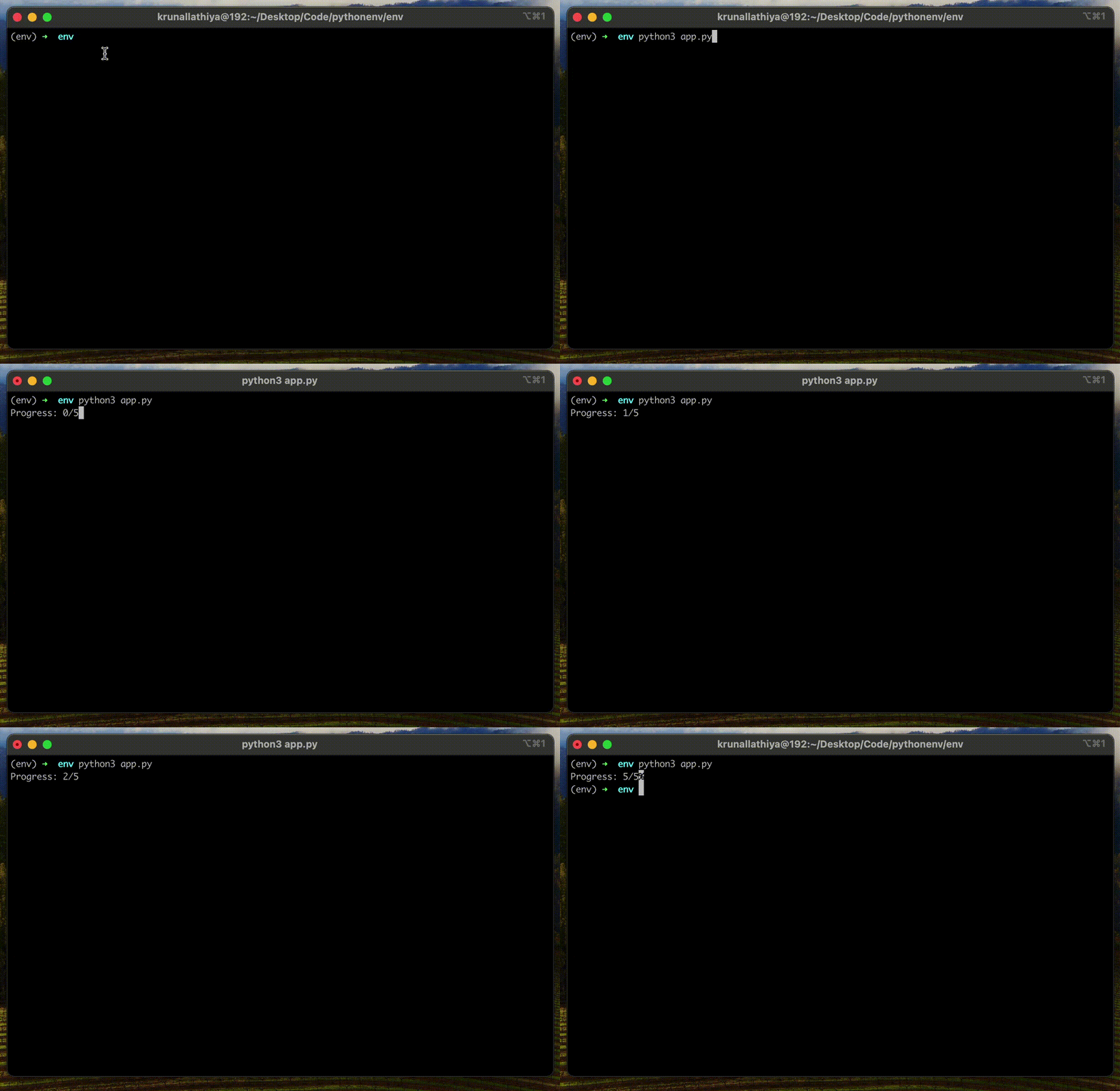
Using sys.stdout.flush() method

The main advantage of this method is that it works for stdout, stderr, and file streams. It also allows partial line flushing.

That’s all!

Post Views: 2
Share on:
Krunal Lathiya

With a career spanning over eight years in the field of Computer Science, Krunal’s expertise is rooted in a solid foundation of hands-on experience, complemented by a continuous pursuit of knowledge.

How to Move File or Folder in Python
How to Print an Exception in Python

Leave a Reply Cancel reply

Your email address will not be published. Required fields are marked *

Address: TwinStar, South Block – 1202, 150 Ft Ring Road, Nr. Nana Mauva Circle, Rajkot(360005), Gujarat, India

Call: (+91) 9409548155

Email: support@appdividend.com

Online Platform

  • Pricing
  • Instructors
  • FAQ
  • Refund Policy
  • Support

Links

  • About Us
  • Contact Us
  • Privacy Policy
  • Terms of services

Tutorials

  • Angular
  • React
  • Python
  • Laravel
  • Javascript
Copyright @2024 AppDividend. All Rights Reserved
Appdividend