

What is a Unix (Epoch) time? It is the number of seconds that have elapsed since January 1, 1970 (00:00:00 UTC). It is always in UTC, as an integer or a float (with microseconds).
Converting Epoch (Unix) time to datetime

The most effective and efficient way to convert an epoch time to a datetime object in Python is to use the datetime.fromtimestamp() method. It accepts an epoch timestamp and an optional timezone and returns a datetime object.
from datetime import datetime, timezone

# Unix timestamp (with microseconds)
epoch = 1766836800.123456

dt_utc = datetime.fromtimestamp(epoch, tz=timezone.utc)

print(dt_utc)

# Output: 2025-12-27 12:00:00.123456+00:00
In this code, we convert a Unix timestamp from a float to a datetime object using the fromtimestamp() function with the UTC timezone. The output is a datetime object with microseconds.
If you want to format an output object, always use the .strftime() method.
formatted_str = dt_utc.strftime('%Y-%m-%d %H:%M:%S')

print(formatted_str)

# Output: 2025-12-27 12:00:00
Local timezone

If you want to rely on the local timezone based on that specific system, you don’t need to pass the “tz” argument. Just pass the epoch, and it will add a timezone to your current system.
from datetime import datetime, timezone

# Unix timestamp (with microseconds)
epoch = 1766836800.123456

dt = datetime.fromtimestamp(epoch)

print(dt)

# Output: 2025-12-27 17:30:00.123456
Specific timezone
If you are looking for specific time zones, you can use the built-in zoneinfo package’s ZoneInfo() function. It will help you define a timezone in a much more readable way and return a datetime object based on that.
from datetime import datetime
from zoneinfo import ZoneInfo

# Unix timestamp (with microseconds)
epoch = 1766836800.123456

dt_tz = datetime.fromtimestamp(epoch, tz=ZoneInfo("America/New_York"))

print(dt_tz)

# Output: 2025-12-27 07:00:00.123456-05:00
Converting datetime to Epoch (Unix) time
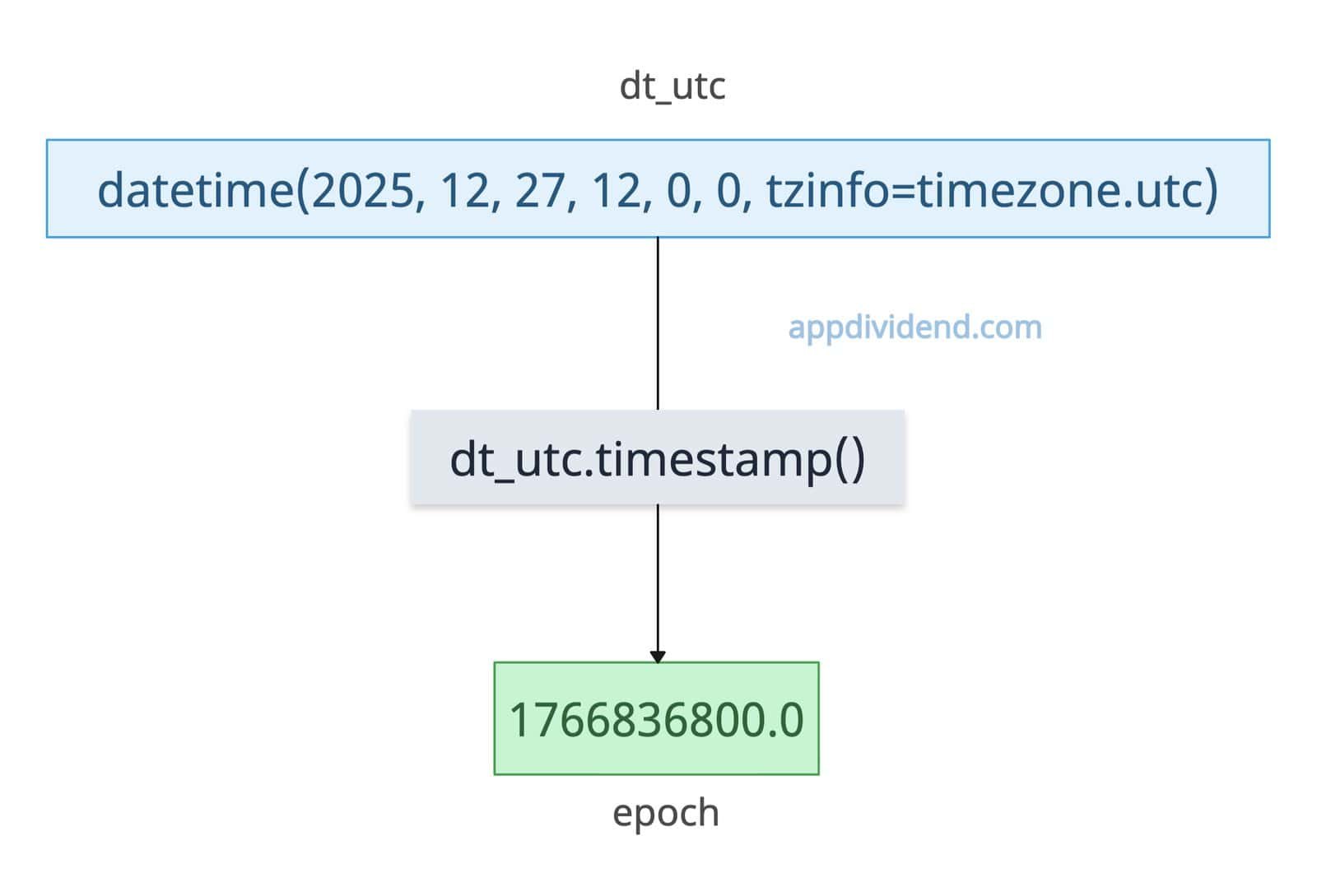
To convert a datetime object to a timestamp (Epoch) to a datetime object, use the .timestamp() method. It accepts a datetime object and returns a Unix time.
from datetime import datetime, timezone

dt_utc = datetime(2025, 12, 27, 12, 0, 0, tzinfo=timezone.utc)

print(dt_utc)
# Output: 2025-12-27 12:00:00+00:00

epoch = dt_utc.timestamp()

print(epoch)
# Output: 1766836800.0
You should never call the .timestamp() method on naive datetime unless you know it’s local time!
Specific timezone
from datetime import datetime
from zoneinfo import ZoneInfo

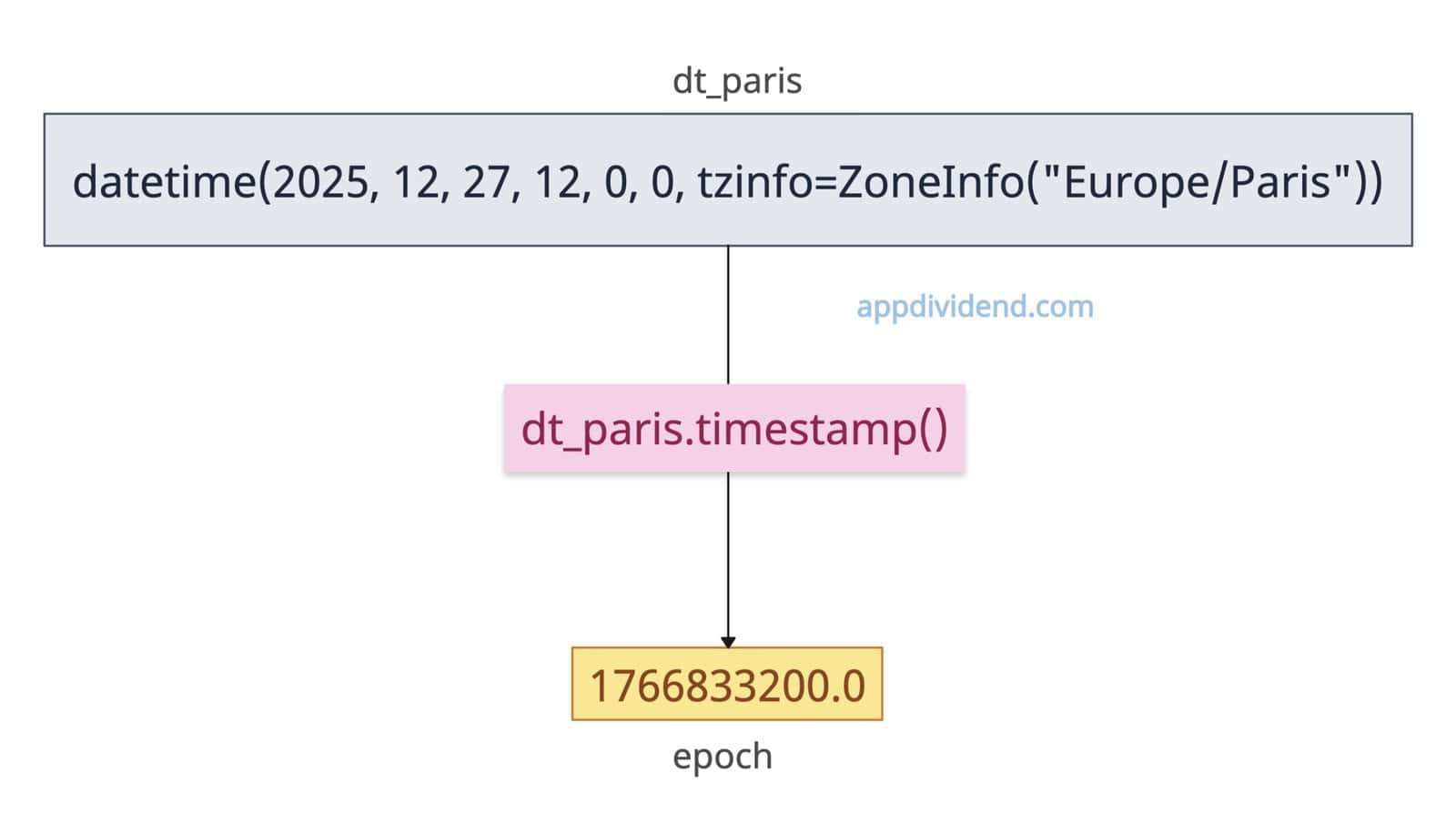
dt_paris = datetime(2025, 12, 27, 12, 0, 0, tzinfo=ZoneInfo("Europe/Paris"))

print(dt_paris)
# Output: 2025-12-27 12:00:00+01:00

epoch = dt_paris.timestamp()

print(epoch)
# Output: 1766833200.0
If you have a datetime object that already has a specific timezone like Europe/Paris, you just need to convert to a timestamp using the .timestamp() method.

