
A Python iterable is an object that is capable of returning one element at a time, and you can use it within a for loop, comprehensions, or generators.
If you validate the iterator object, you can prevent errors like TypeError: ‘int’ object is not iterable in runtime.
Here are three ways to check:
- Using collections.abc.Iterable class
- Using iter() with try/except
- Using _iter_
Method 1: Using the collections.abc.Iterable class
The clean, modern, and most Pythonic way to check if an input Iterable is an Object in Python with type safety is to use the collections.abc.Iterable class. It contains abstract base classes that provide interfaces for various container types.
You can use it with the isinstance() method, which returns True if obj is an iterable and False otherwise.
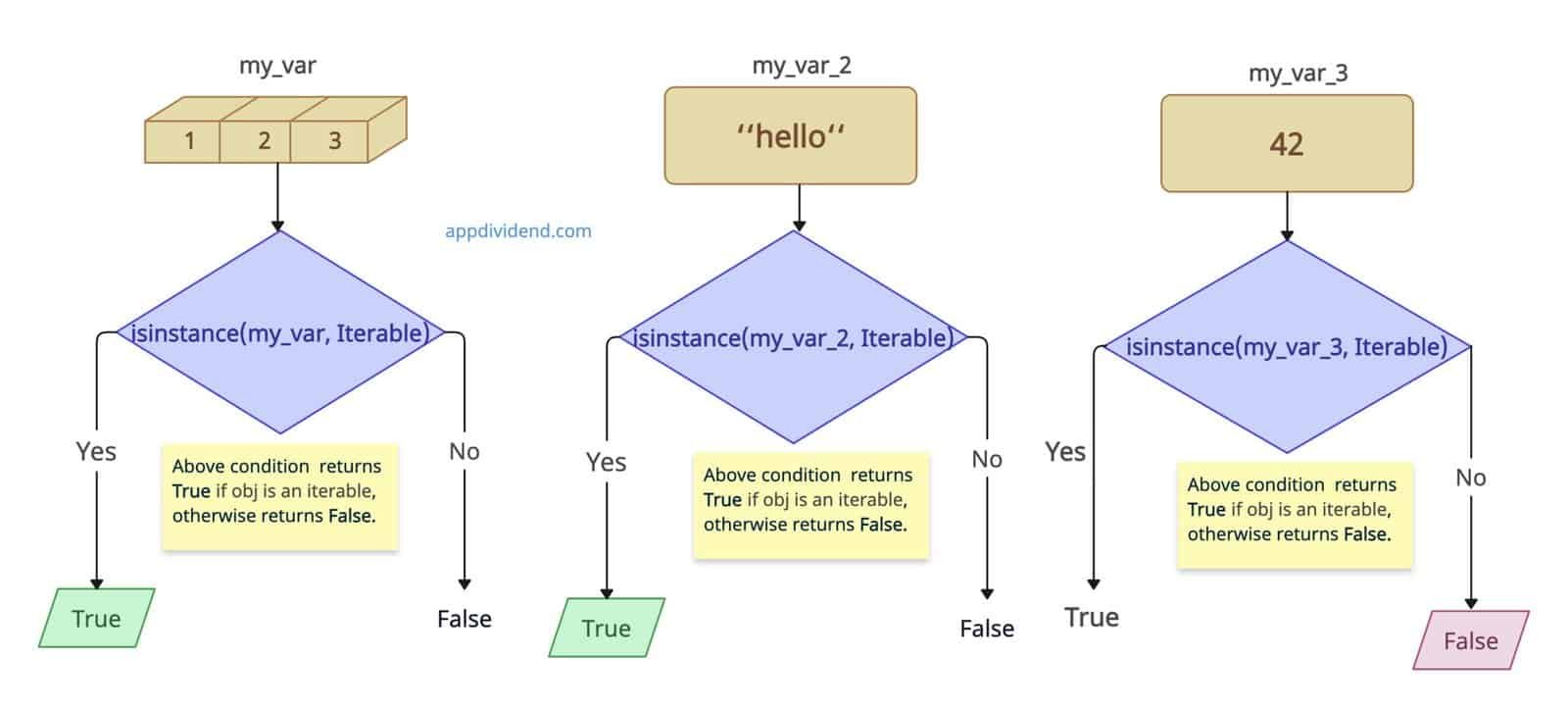
from collections.abc import Iterable


def is_iterable(obj):
    return isinstance(obj, Iterable)


print("List:", is_iterable([1, 2, 3]))
# Output: List: True

print("String:", is_iterable("hello"))
# Output: String: True

print("Integer:", is_iterable(42))
# Output: Integer: False

print("Dictionary:", is_iterable({'a': 1}))
# Output: Dictionary: True

print("None:", is_iterable(None))
# Output: None: False
Method 2: Using the iter()
Another common way is to use the built-in iter() function, which raises a TypeError and returns False if the object is not iterable; otherwise, it returns True.
It works well with all iterables: lists, tuples, dicts, sets, generators, strings, range, map, filter, zip, files, etc.
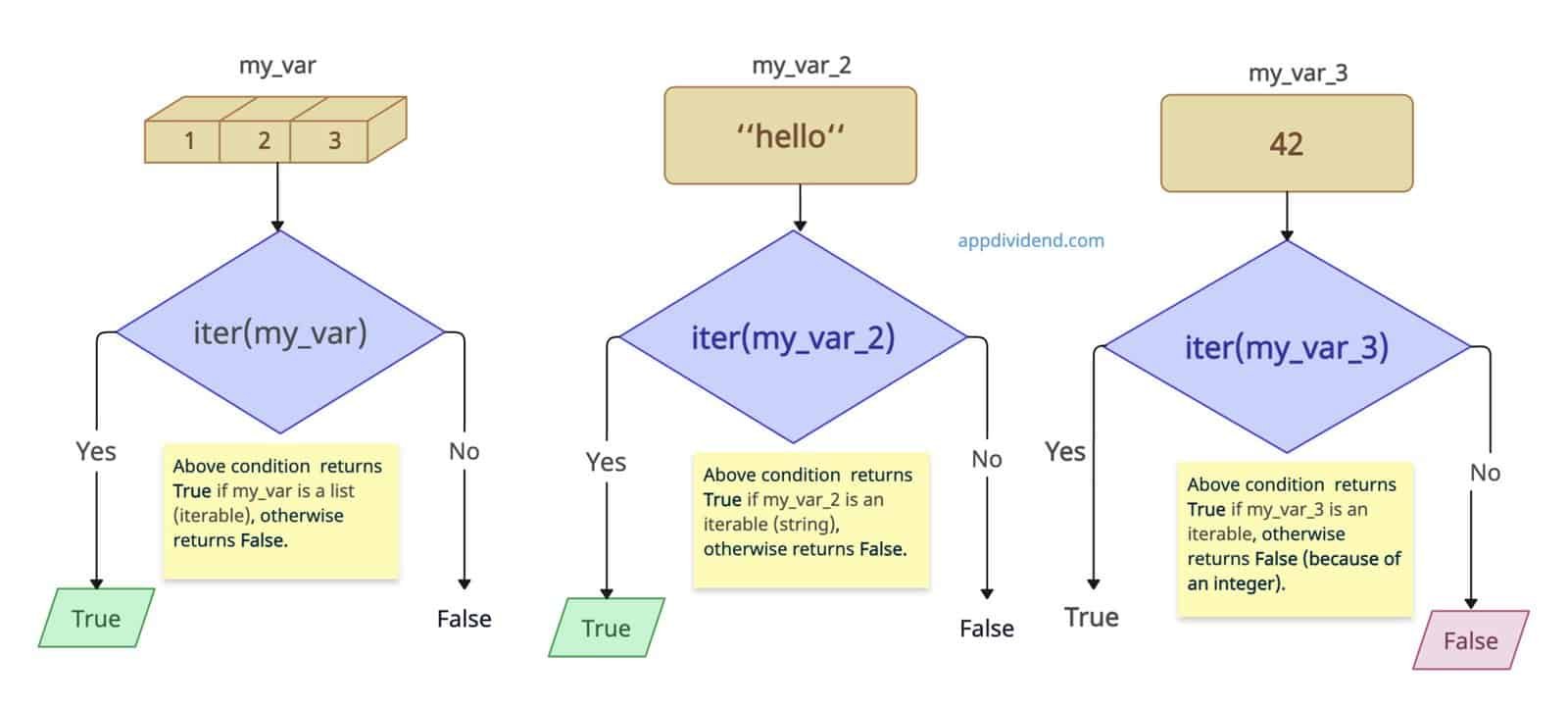
def is_iterable(obj):
    try:
        iter(obj)
        return True
    except TypeError:
        return False


print("List:", is_iterable([1, 2, 3]))
# Output: List: True

print("String:", is_iterable("hello"))
# Output: String: True

print("Integer:", is_iterable(42))
# Output: Integer: False

print("Dictionary:", is_iterable({'a': 1}))
# Output: Dictionary: True
In this code, we also defined a custom function, is_iterable(), that accepts an object as input. We pass the object to the iter() function and check its validity, and it returns boolean values based on the input.
Method 3: Using __iter__
If you are using legacy Python code and you want to detect old-style sequence objects (pre-Python 2.2 semantics), use the __iter__ approach. If an input object is iterable, it should contain an __iter__ method by default. It returns True if the method exists, otherwise False.

def is_iterable(obj):
    return hasattr(obj, '__iter__')


print("List:", is_iterable([1, 2, 3]))
# Output: List: True

print("String:", is_iterable("hello"))
# Output: String: True

print("Integer:", is_iterable(42))
# Output: Integer: False

print("Dictionary:", is_iterable({'a': 1}))
# Output: Dictionary: True

print("None:", is_iterable(None))
# Output: None: False
That’s all!


Ashraf
For the last few years, I follow your article, a Great article.